

Visual Studio Code (VSC) is an Integrated Development Environment (IDE) that is very popular and widely used. It is a particularly good choice for an IDE, particularly for Python programming and also for many other programming languages as well. Visual Studio Code (VSC) is a popular and user-friendly code editor that has rapidly become a favorite among both beginner and expert Python programmers. Its appeal lies in its lightweight nature, extensive customization options, and thorough support for Python development. With VSC, you can write, debug, and run Python code efficiently. The editor provides intelligent code completion, error highlighting, and an integrated terminal, making it easier to test your scripts and manage packages. Additionally, VSC's support for version control with Git and collaboration tools enhances coding workflows, making it an ideal choice for those learning and working with Python.
To install Visual Studio Code (VSC) on your computer, select your operating system tab below for OS-specific instructions:
Choose your operating system 
Windows Installation Instructions
1. Click the following link to go to the Visual Studio Code Download page: https://code.visualstudio.com/download. The page will appear like this (web pages often change, so that the appearance may be different):
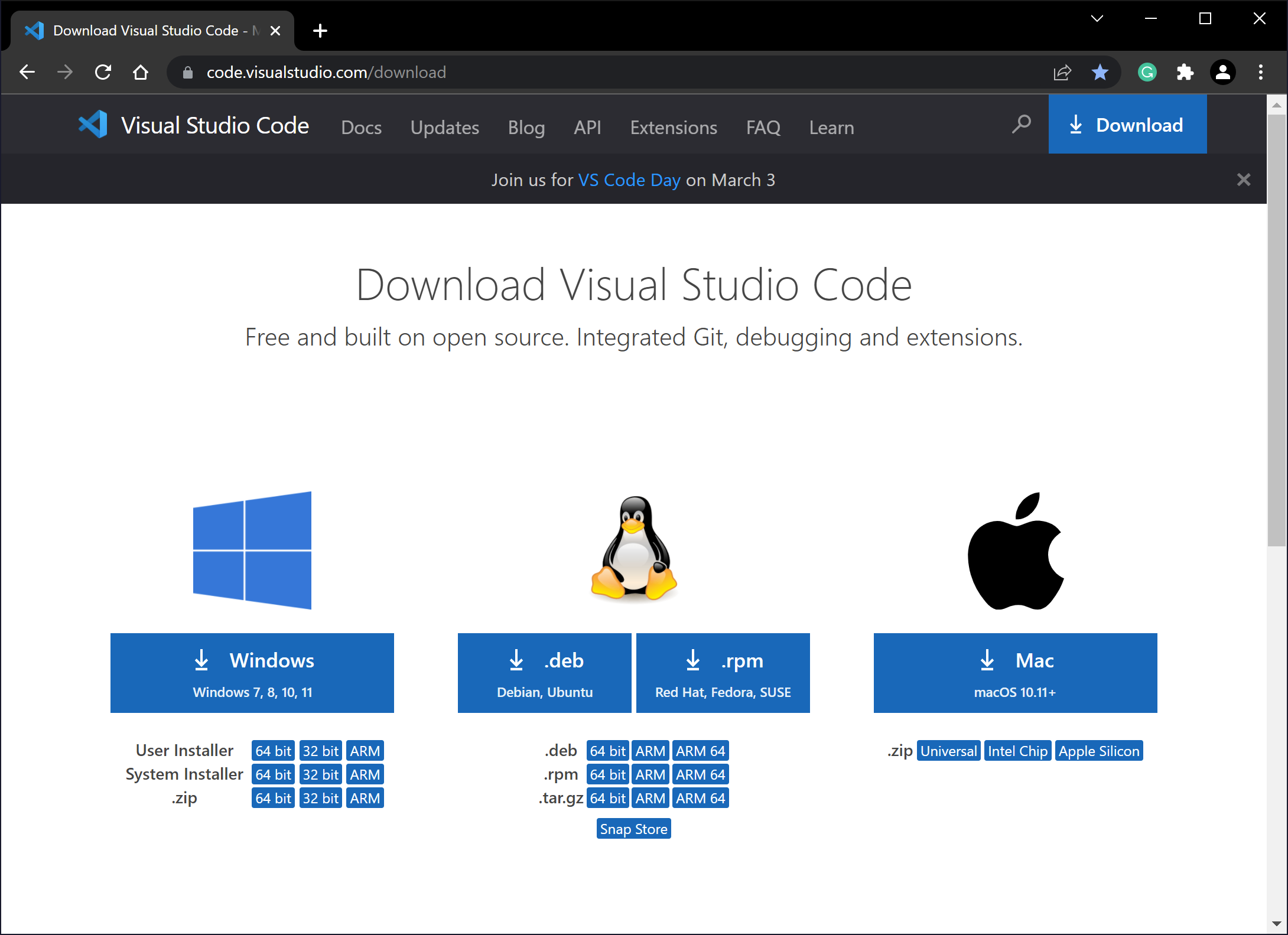
2. Click the Windows download button.

3. If you're using the Chrome browser, you should double-click the installer program that appears at the bottom left of the browser window. If you're using another browser, locate the downloaded installer file and double-click it. The Setup dialog will open. Click the I accept the agreement button and then click Next >.

4. On the next dialog, click Next >.
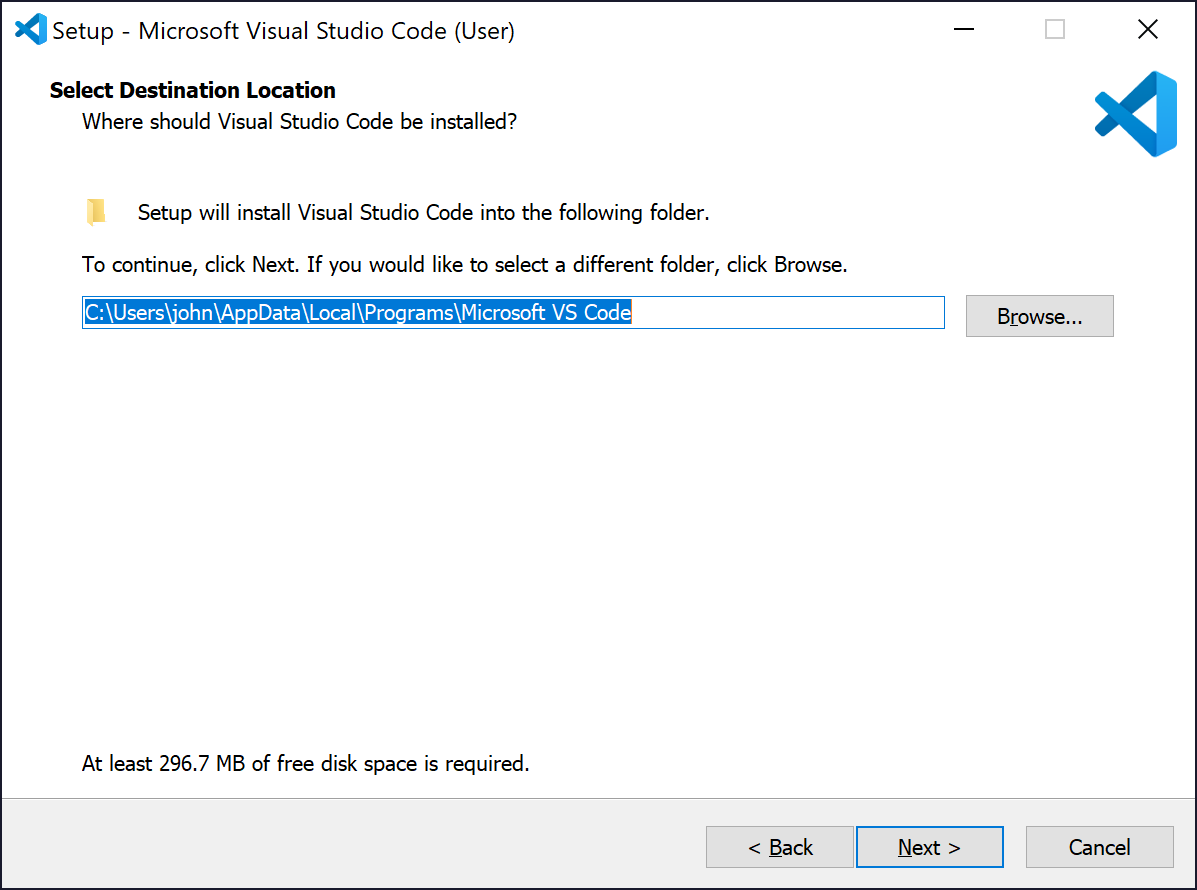
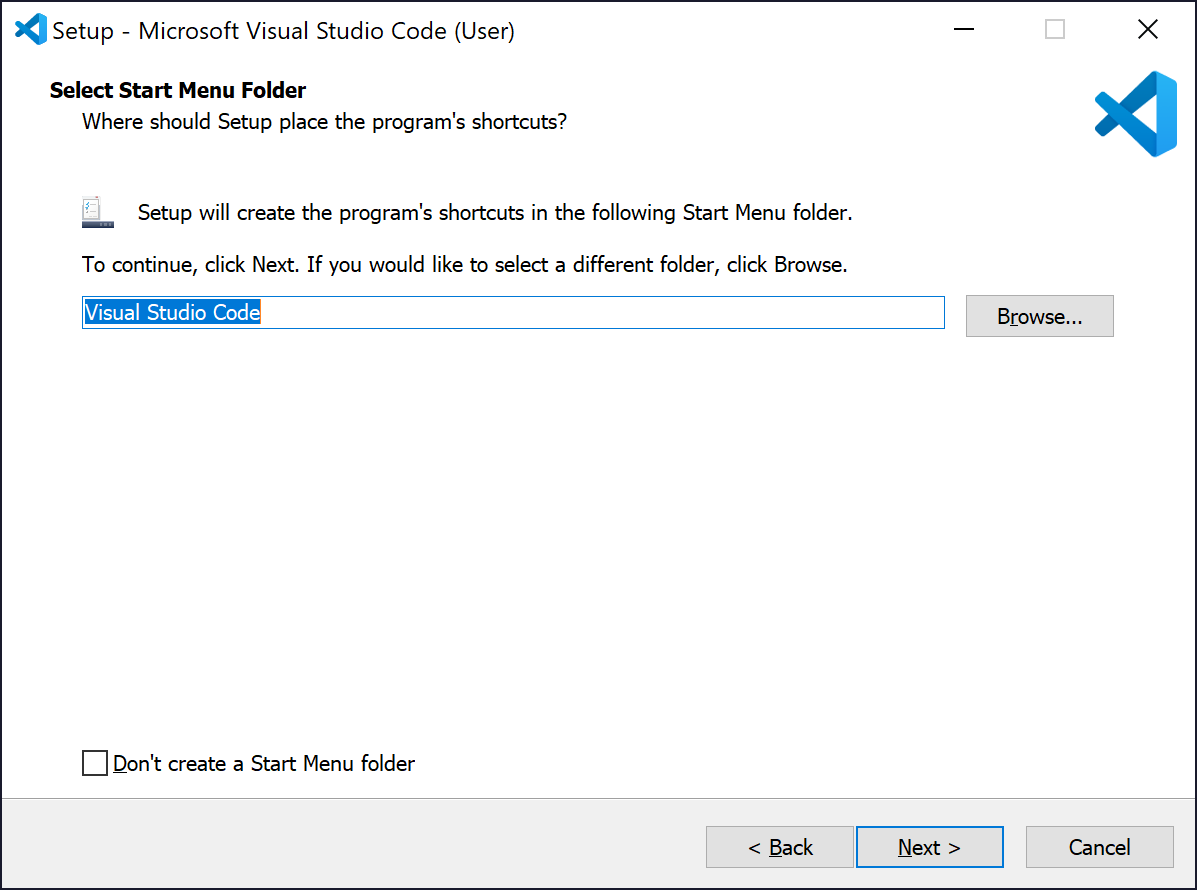
5. On the next dialog, click Next >.
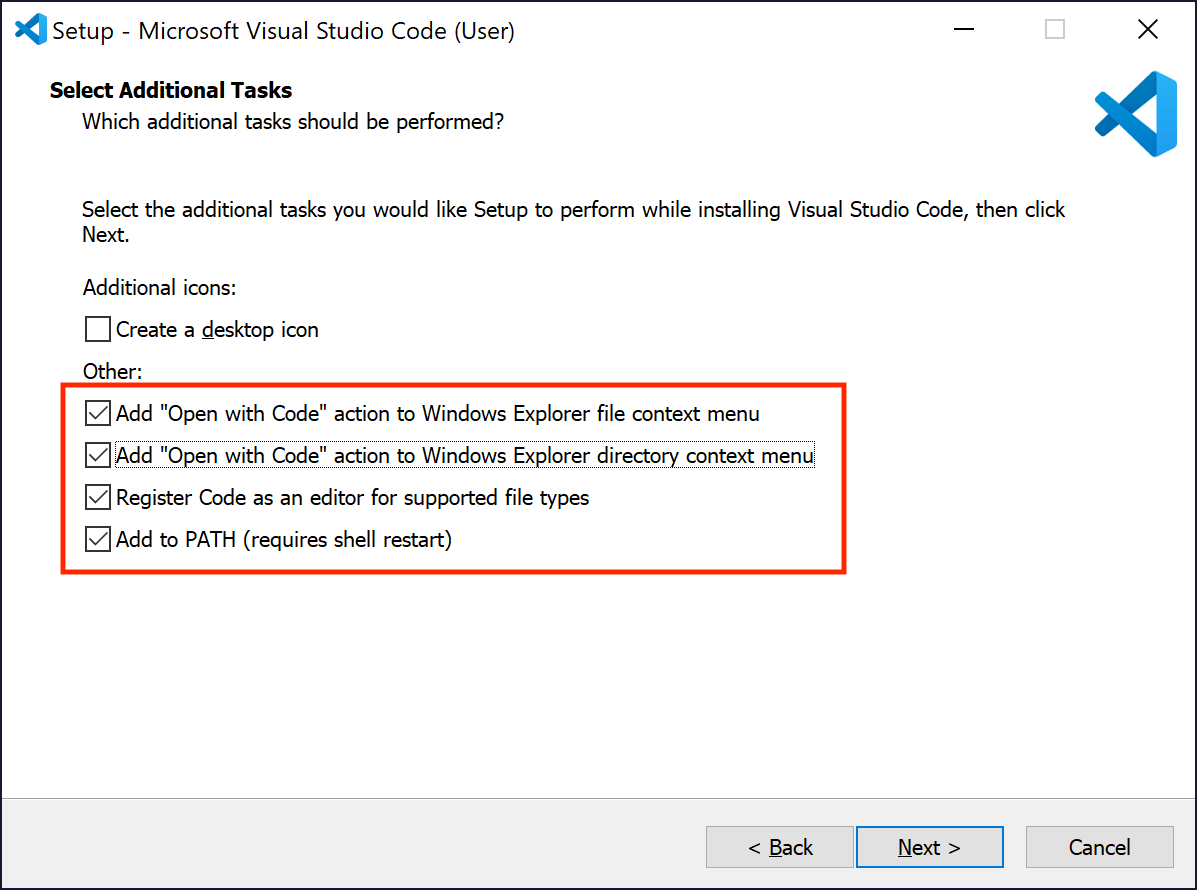
6. On the next dialog, you can choose some options. Be sure the Add to PATH checkbox is checked. The others are optional.
7. On the next dialog, click Install.

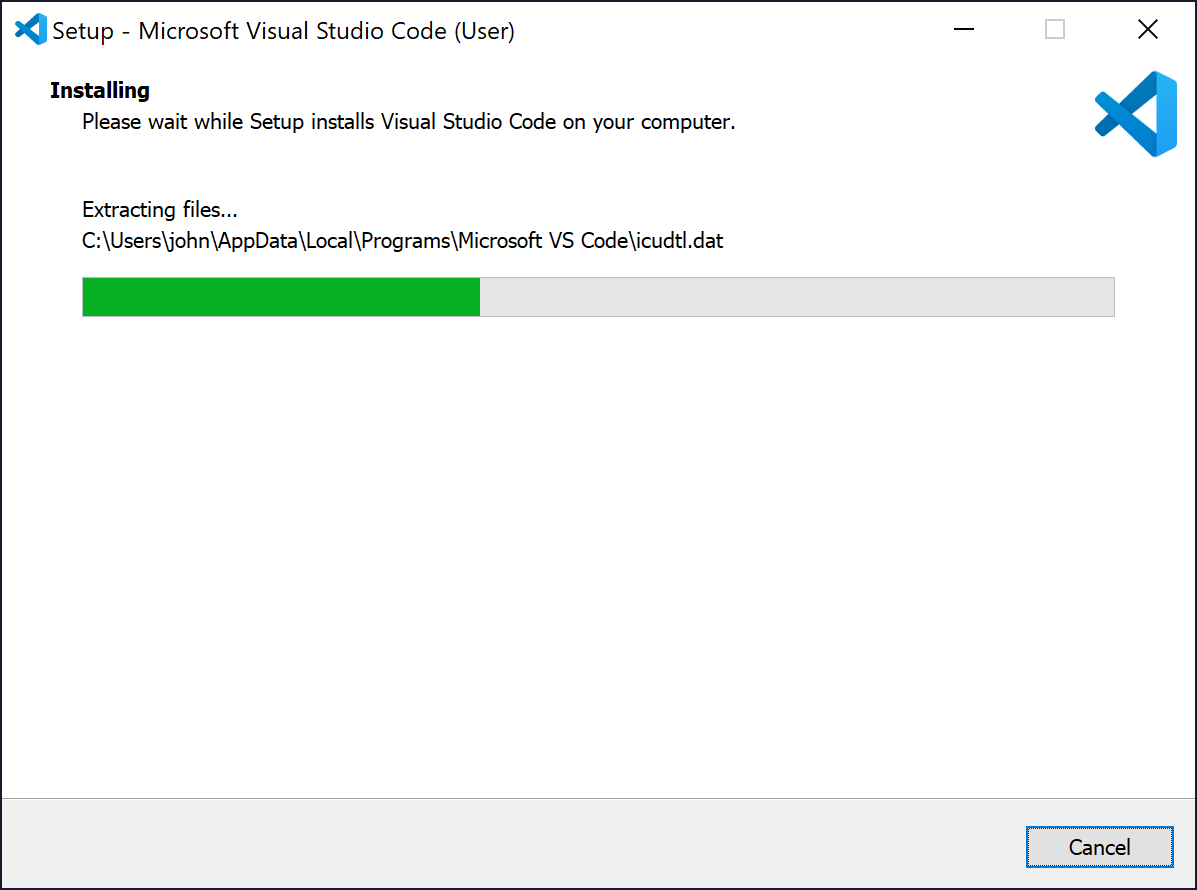
8. The installer will run.
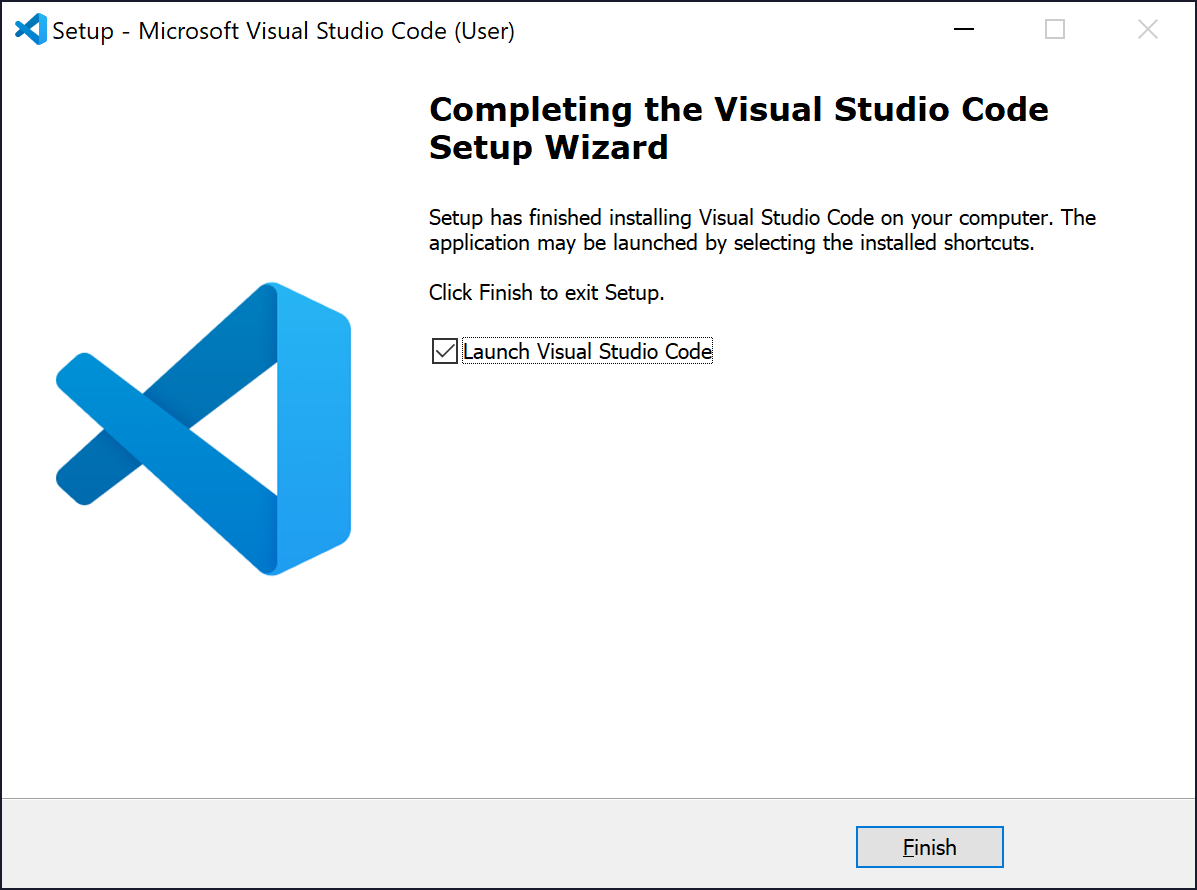
9. When the installation finishes click Finish.
Next Steps
Now that you have installed Visual Studio Code, continue with the Setup & Walkthrough section below:
Macintosh Installation Instructions
Instructions for installing VSC on a Mac are the same as those provided for Windows, other than the initial download step where you choose the Macintosh installer from the VSC download site.
Next Steps
Now that you have installed Visual Studio Code, continue with the Initial Setup section below:
Linux Installation Instructions
Instructions for installing VSC on a Linux are the same as those provided for Windows, other than the initial download step where you choose the Linux installer from the VSC download site.
Next Steps
Now that you have installed Visual Studio Code, continue with the Initial Setup section below:
After you have installed VSC select the Setup tab below for instructions how to prepare VSC for the Python projects and programming examples in this book.
Select Setup for VSC setup instructions.
VSC Setup for Python Programming
- Install Python Extensions
- Setup a Workspace and Project Folder
- Initialize a Virtual Environment for the Project
- Activate the Virtual Environment
- Configure the Python Interpreter for the Project
- Create and Test a Python Code File
- Closing the Workspace
- Opening the Workspace
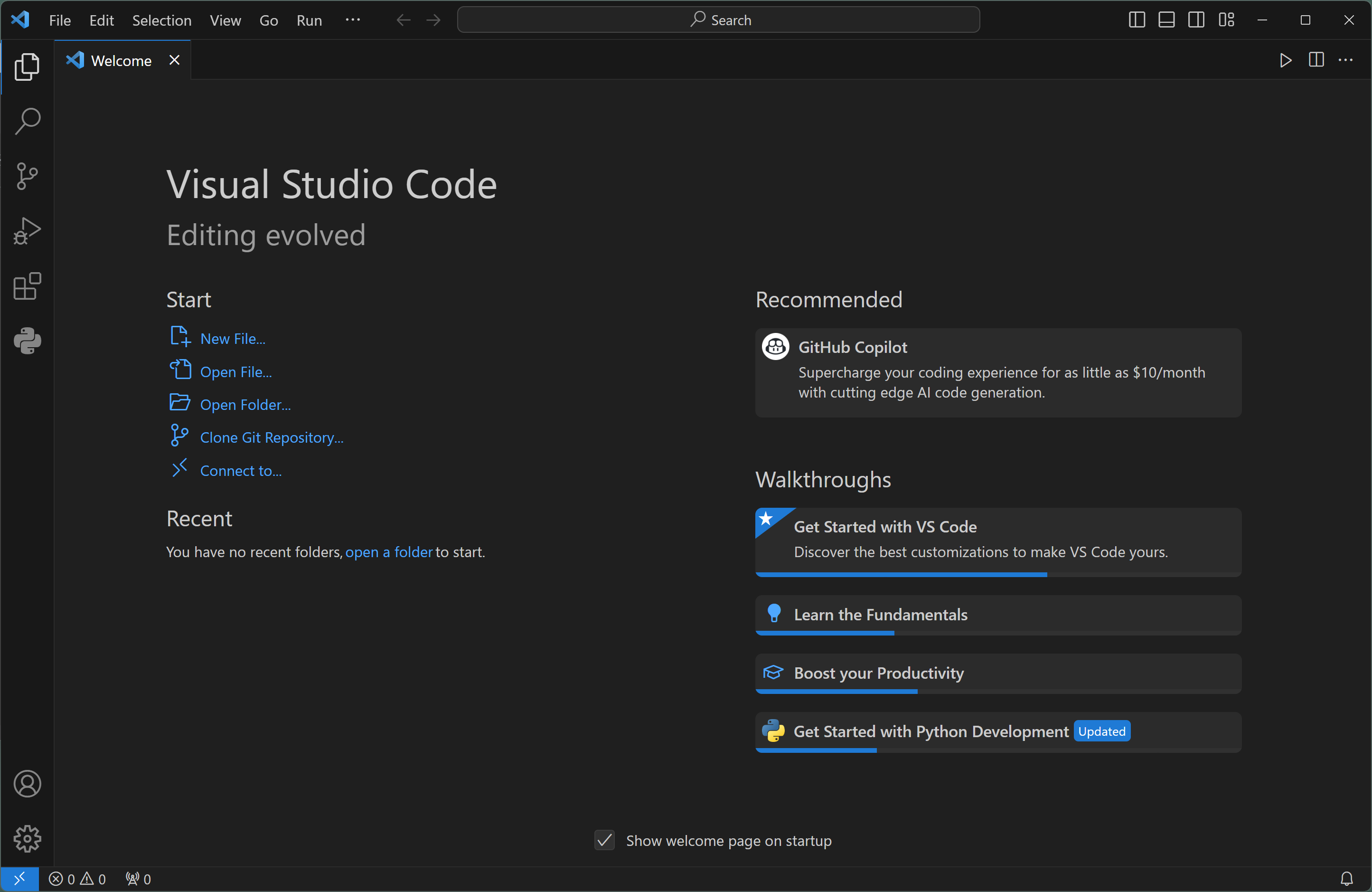
Once you have VSC installed on your computer, open it up and it should look something like this:
Click the Extensions icon on the left side of VSC:

The list of Extensions will appear:
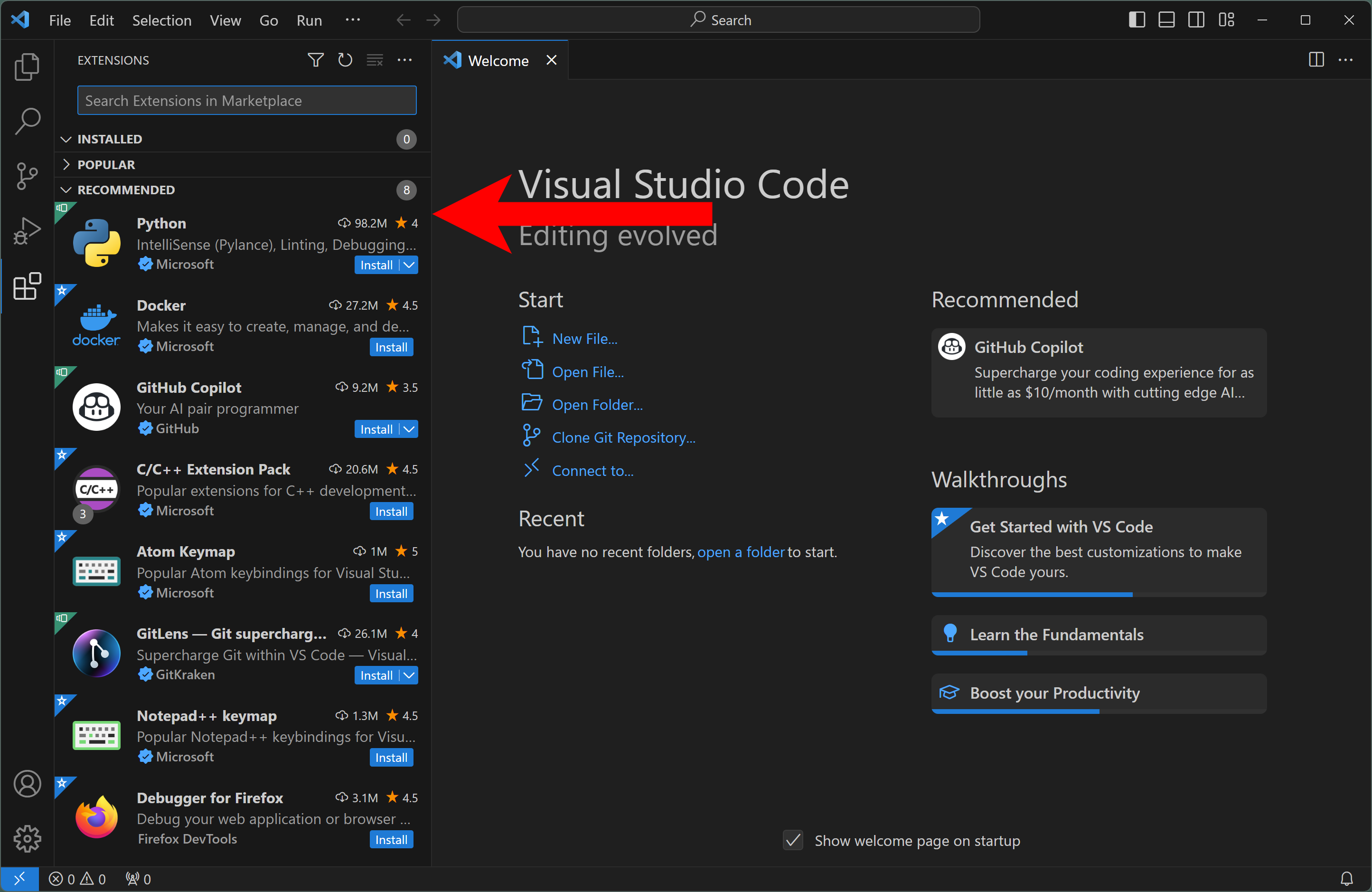
In the Search box type python, and a list of extensions for Python programming will appear:
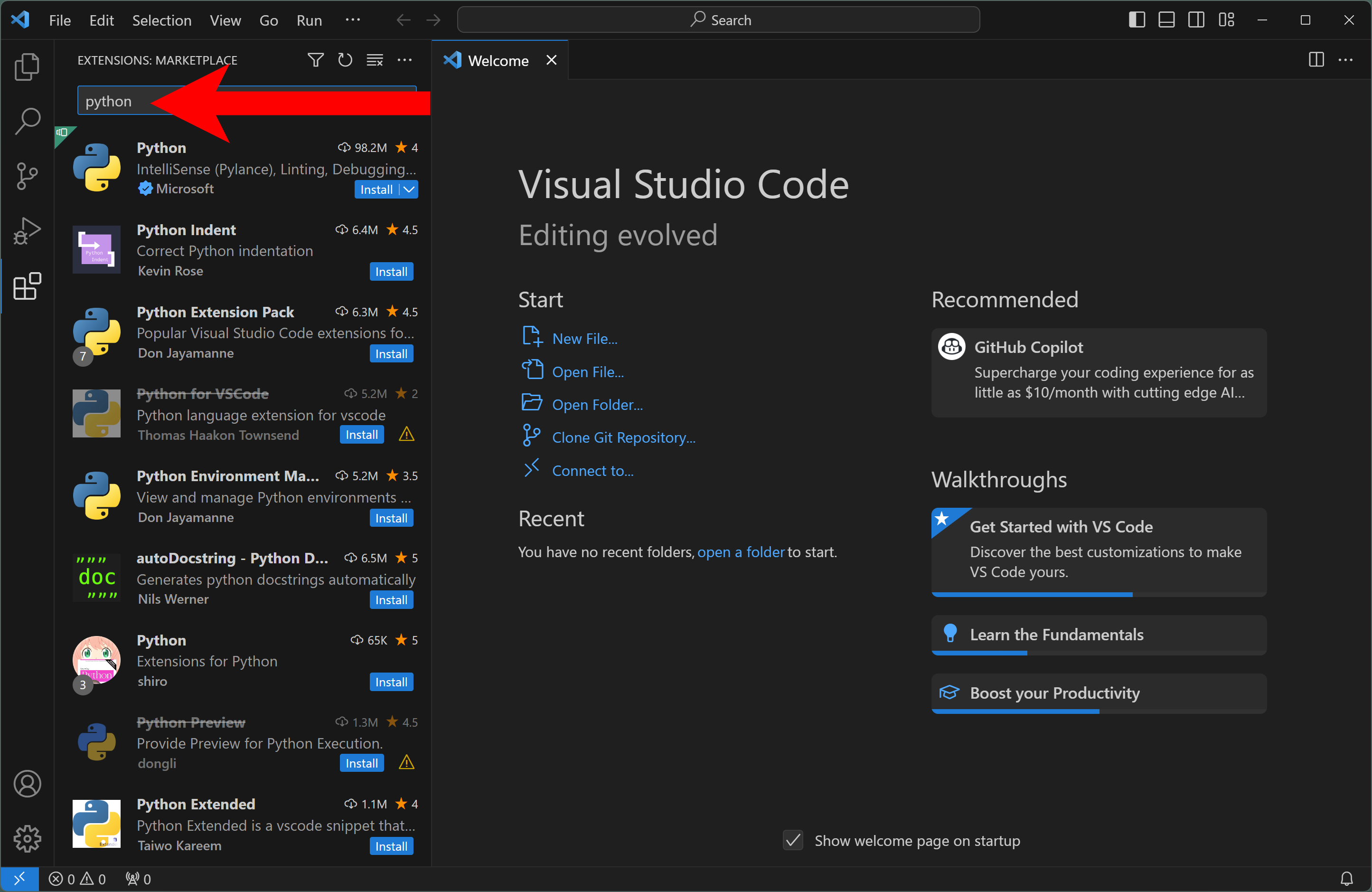
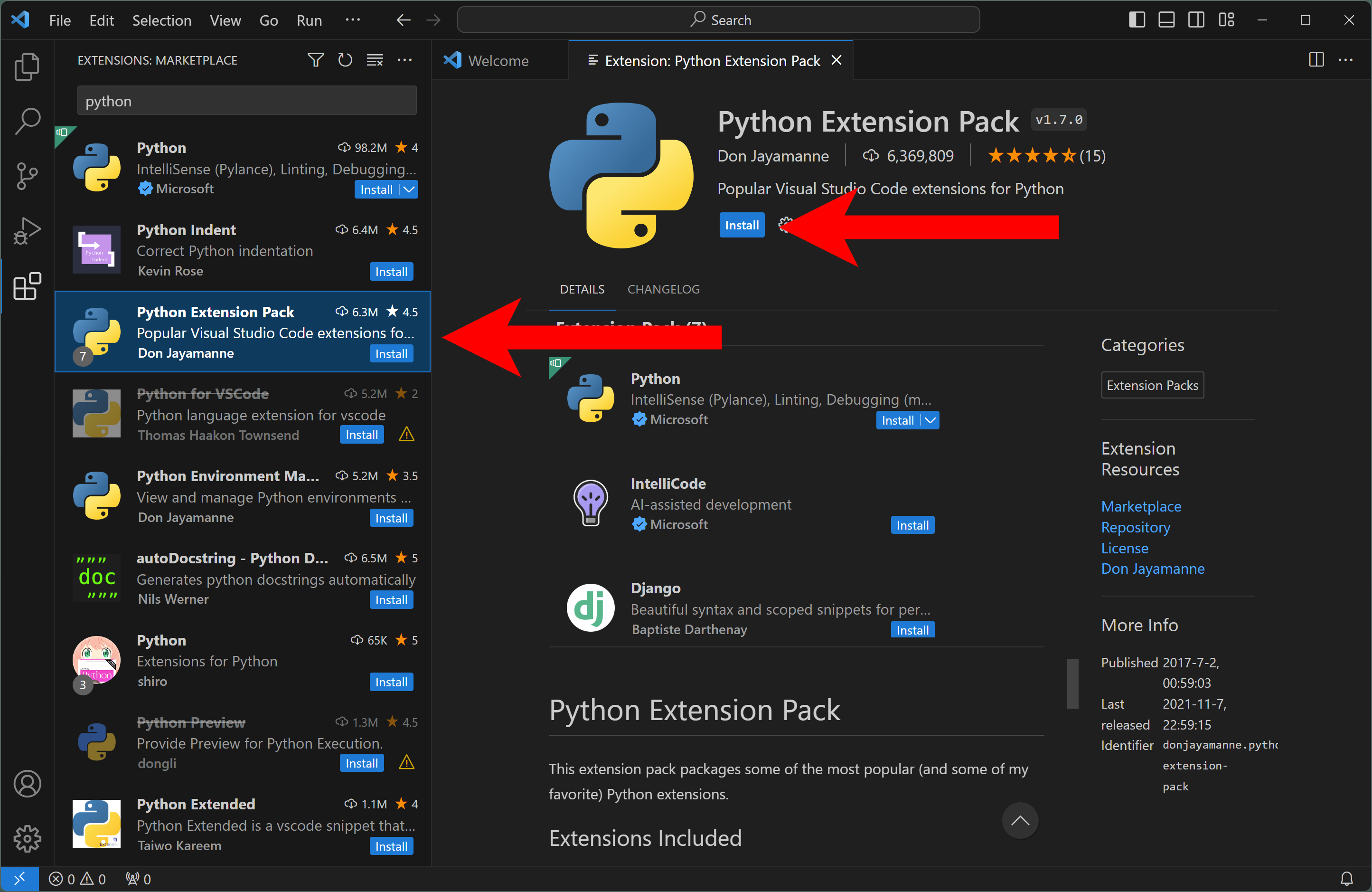
Locate the Python Extension Pack and click on it to display its details in the right-side panel. And then click the Install button to install this extension:
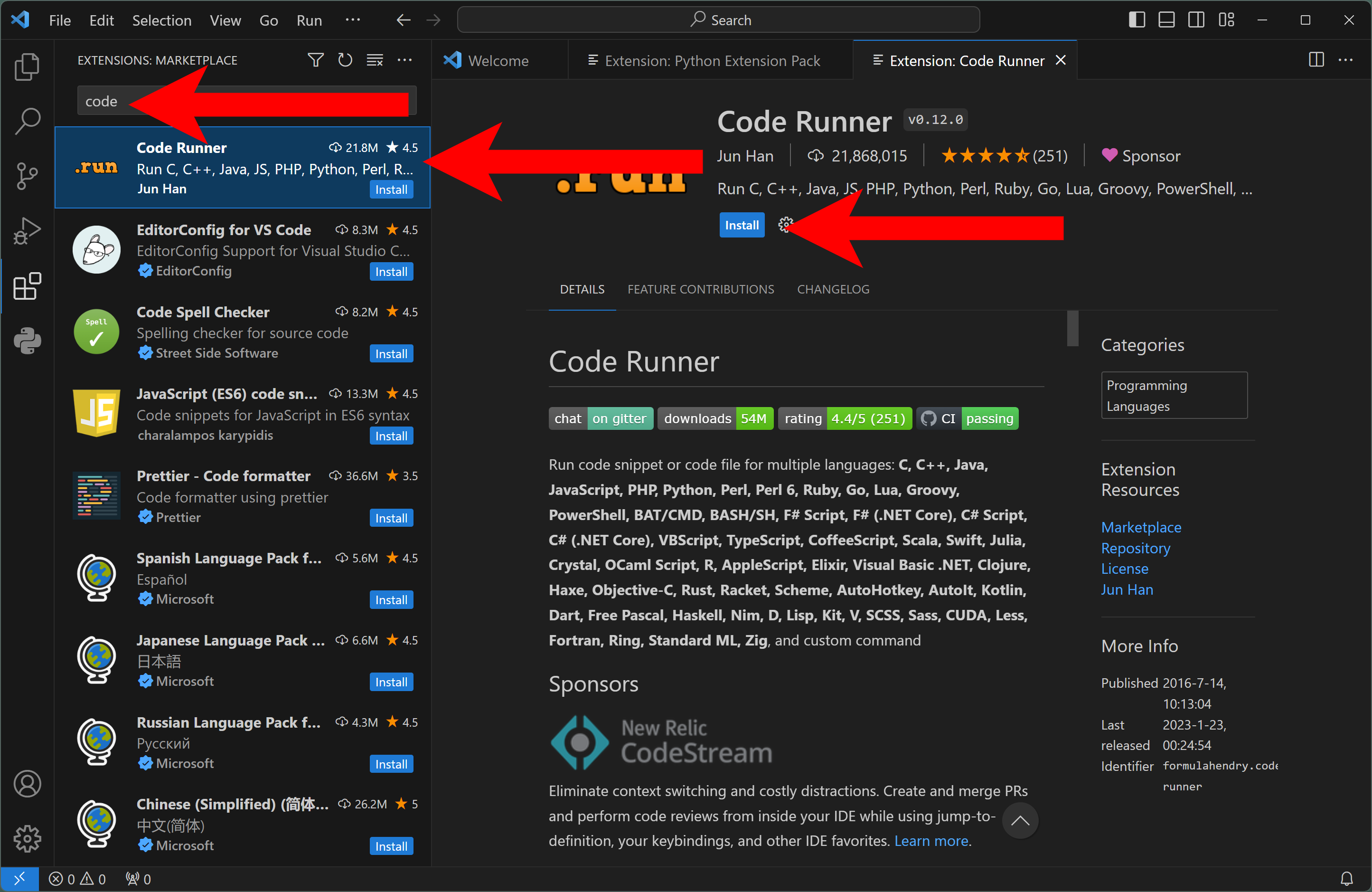
Next, return to the Extension search box and enter code and locate the extension called Code Runner, select it and then click the Install button to install this extension:
There are many other useful extensions in VSC, but these will suffice for now.
VSC uses the concepts of Projects and Workspaces to help us keep all of the files needed for our project organized. For this book, I will create a single project and related workspace. In VSC you can create as many projects and workspaces as you need, but for our purposes we'll just need one.
You can closed all of the Extensions tabs and returned to the default VSC interface.
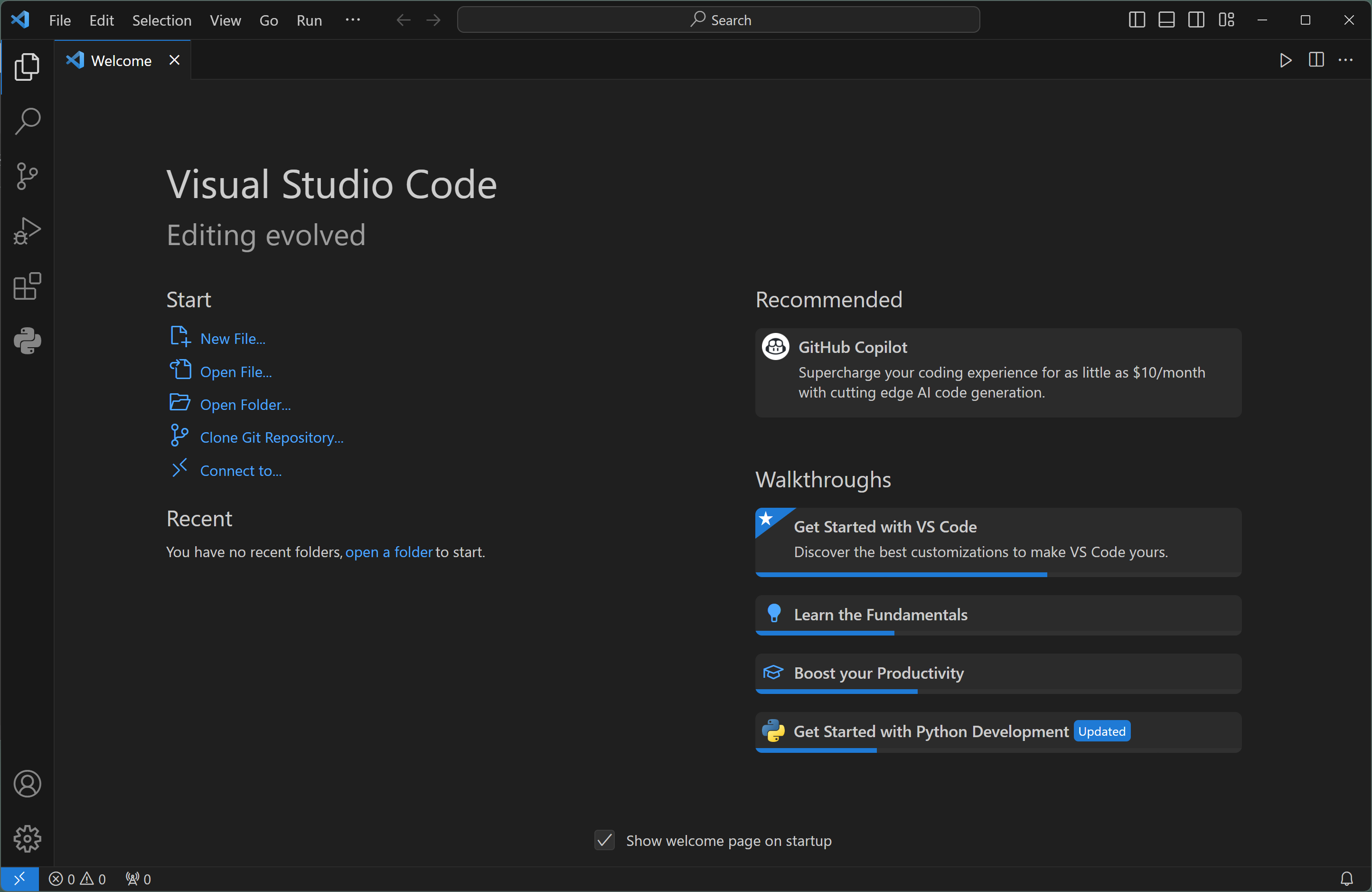
Next, we will create a Workspace, which is a collection of folders and files for our project. Click the Explorer icon at the top left of the VSC interface and then click the Open Folder button.
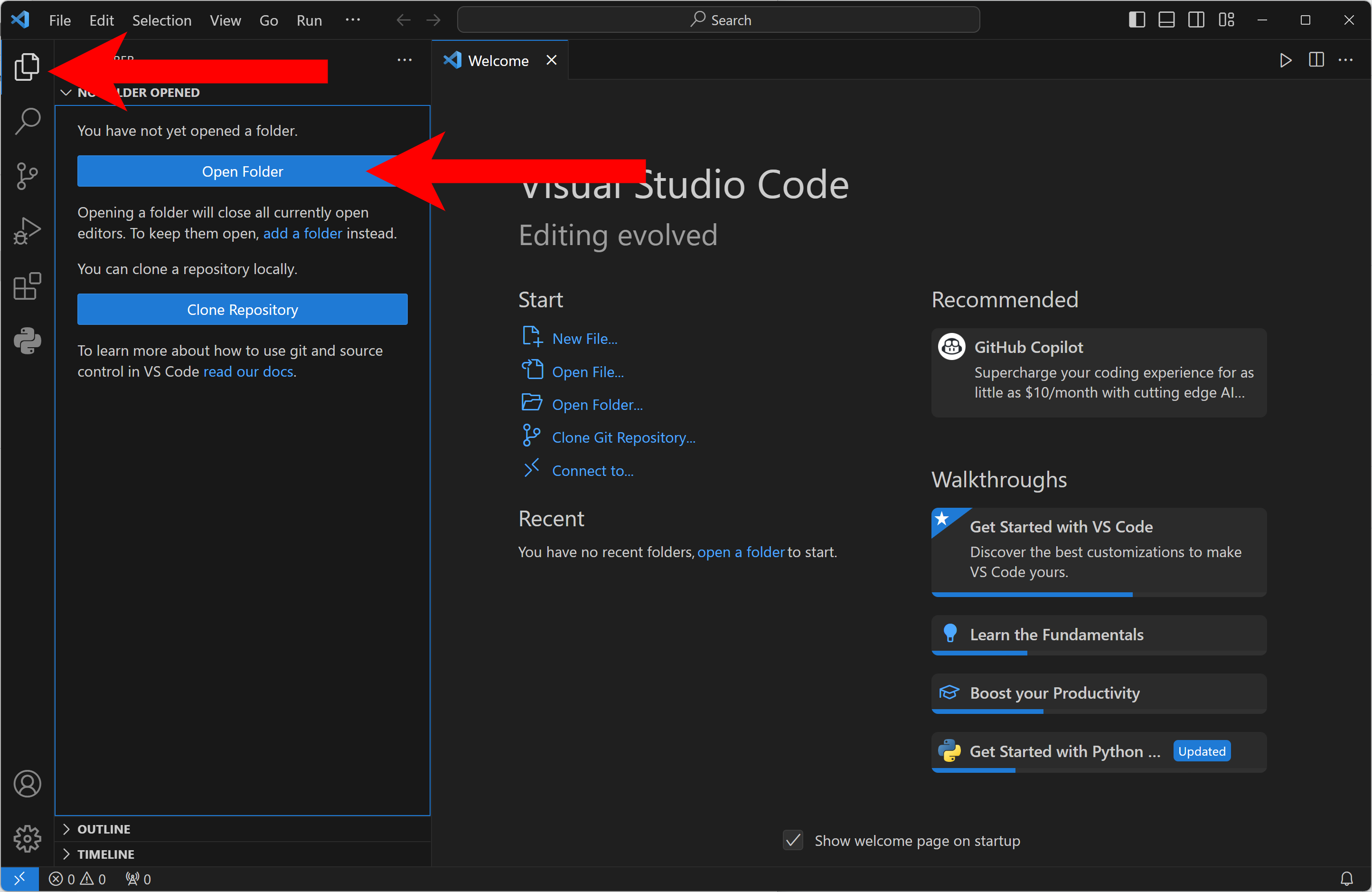
For now, we'll create one folder for our project. Later we can add addition folders and files to our Workspace as needed. On my computer I have a pre-existing folder called Python that I use for other projects. In your case, you can choose where you want to create your folder for our project. VSC will keep track of its location as part of the Workspace for you after you've created it.
When I clicked the Open Folder button in VSC the Windows Open Folder dialog opens. I navigated to my Documents folder where I have my Python folder and double-clicked my Python folder which opens it.
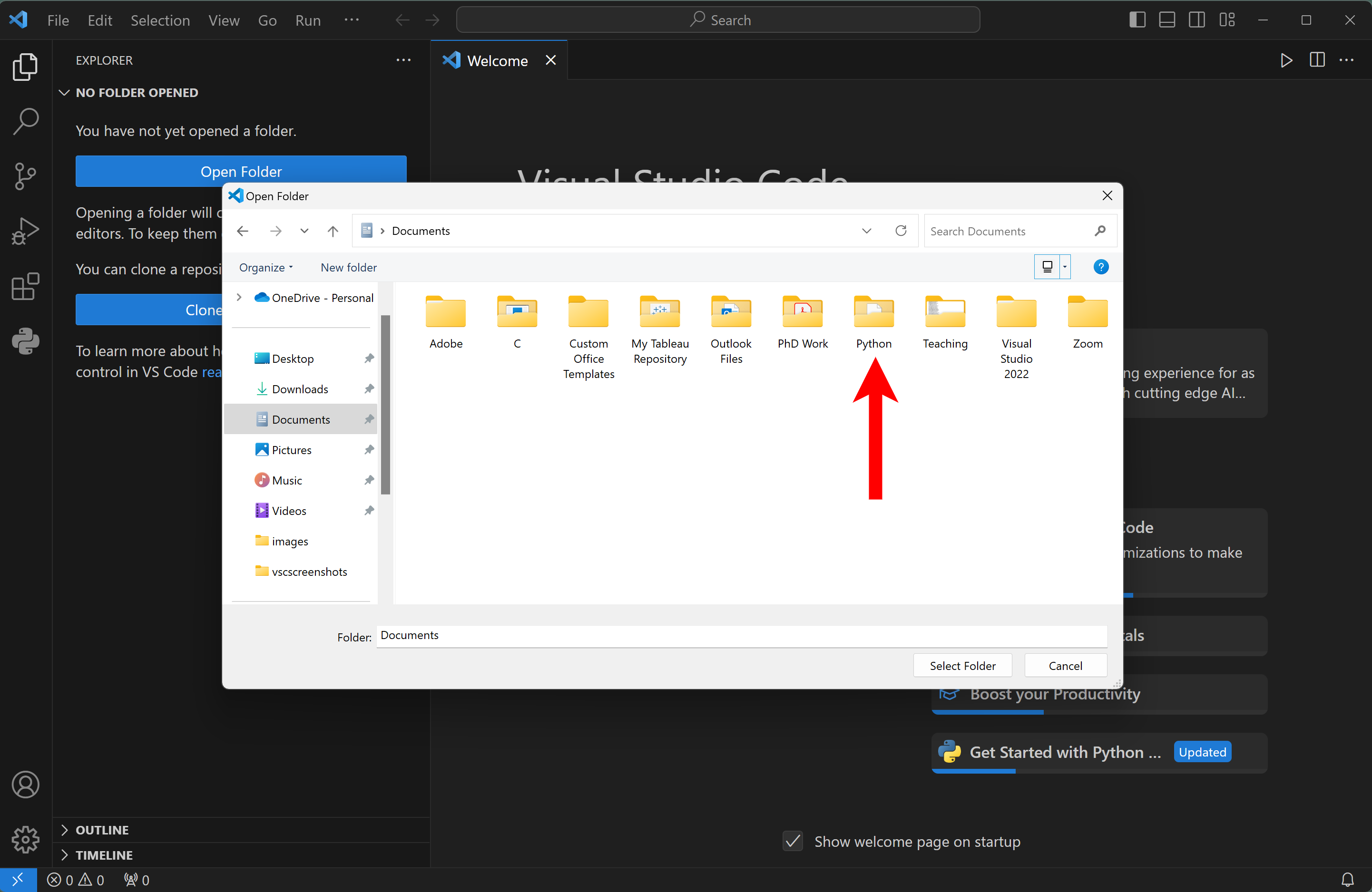
Once inside my Python folder, I clicked the New Folder button and gave it a name Python eBook. You can choose to call yours anything you'd like. Then I clicked the Select Folder button.

After the dialog closes, now we can see my new Python eBook folder inside of VSC in the Explorer on the left-side of VSC.

Next, we'll save the Workspace so that our project folder and workspace are configured for future use. Click on File and then Save Workspace As...
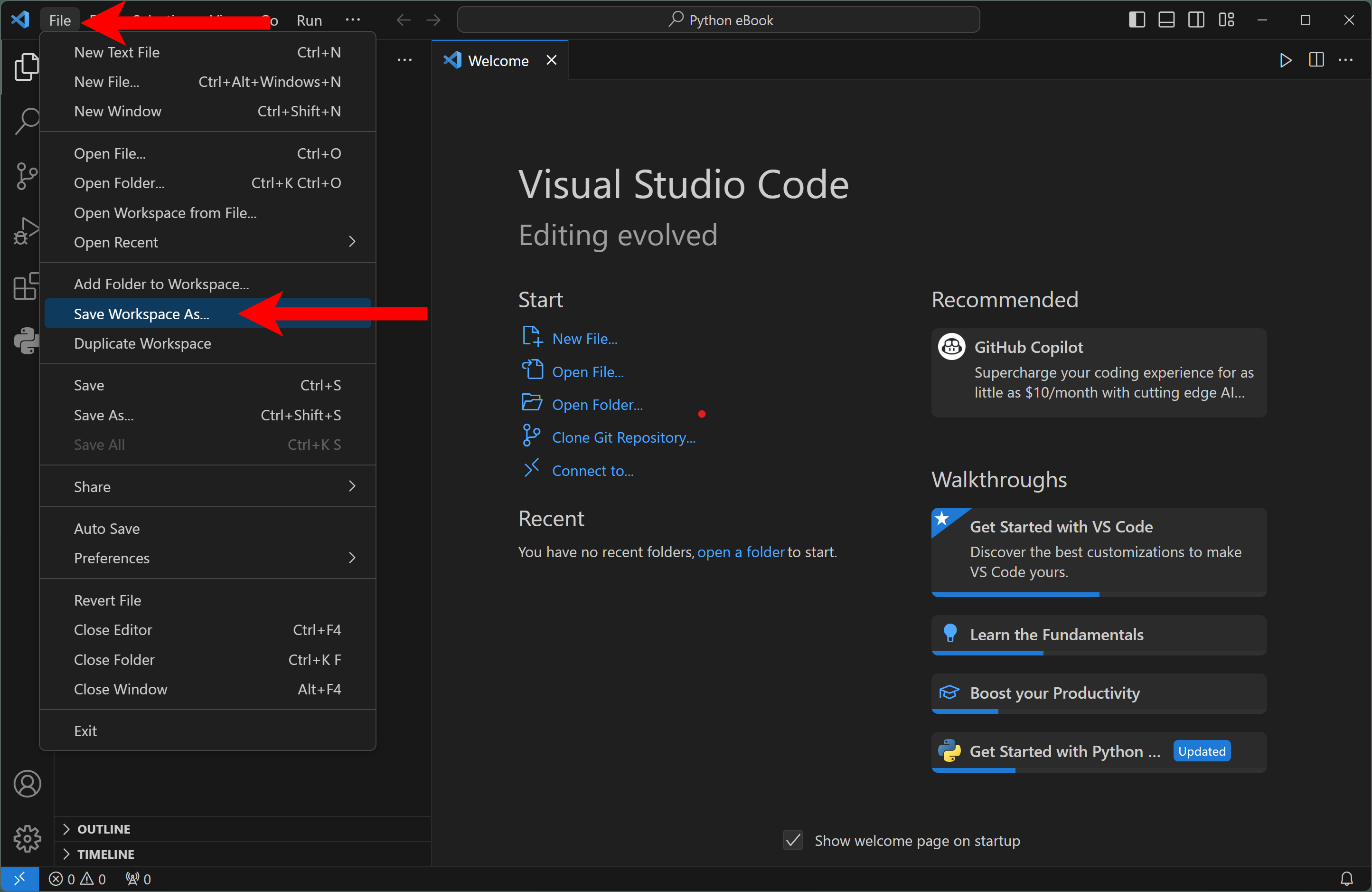
The Save Workspace dialog opens. We can accept the default workspace File Name or change it if we'd like. In my case, I'll accept the default and click the Save button.

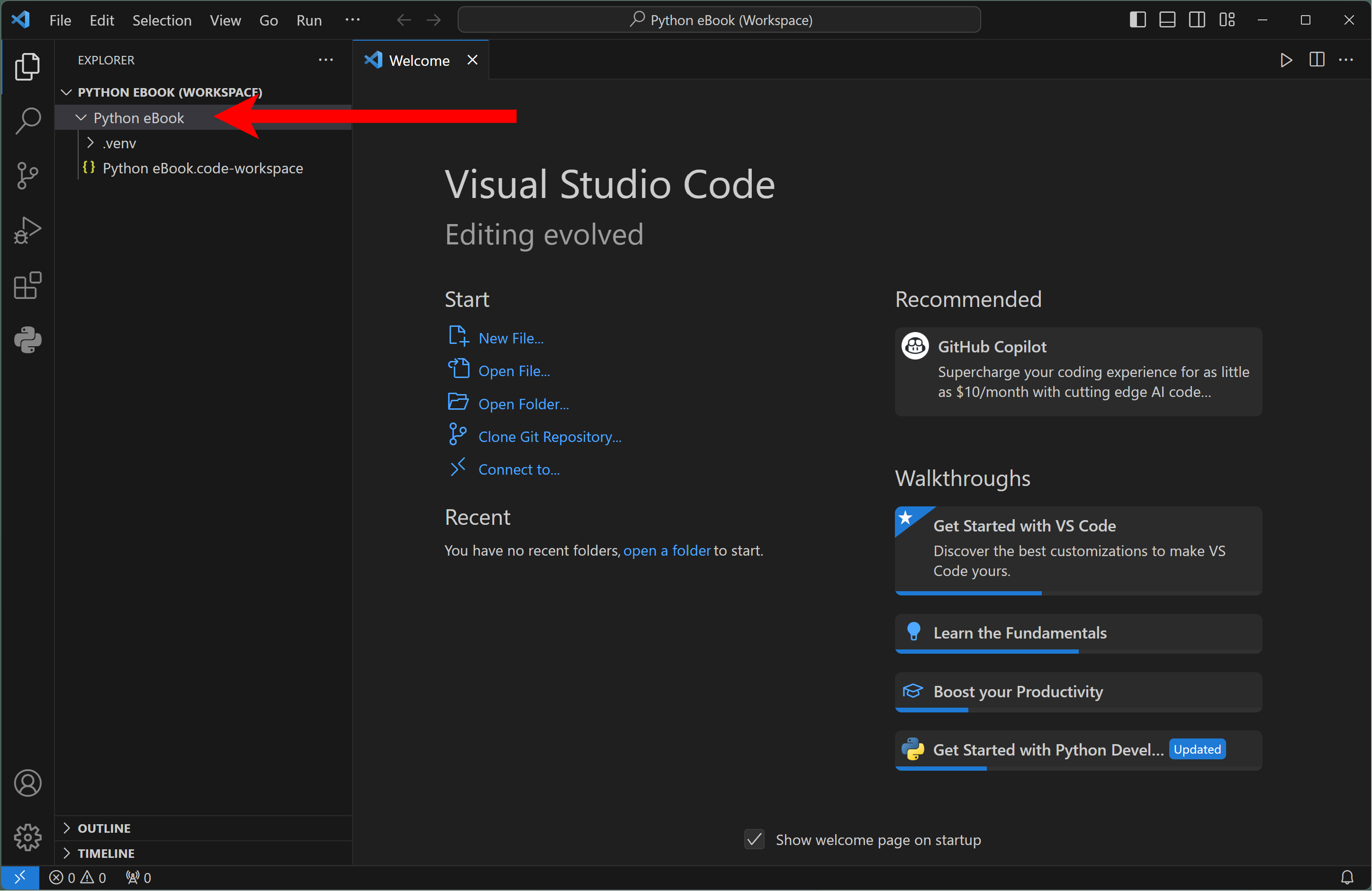
After the dialog closes we can see the workspace file is now saved in my Python eBook folder inside of VSC in the Explorer on the left-side of VSC.

Now we have a Workspace and a project folder for working along with this book's exercises. By default, if you close VSC and reopen it later, it will reopen where you left off with this workspace open.
The next step in preparing VSC for Python programming is setting up a Virtual Environment. A Virtual Environment in Python is a way to keep different Python projects separated so that they do not conflict with each other. In other words, in VSC, we can create as many different projects and Workspaces as we'd like. Setting up Virtual Environments for each of those keeps them sepaarent and autonomous.
To createa Virtual Environment first be sure the Workspace is open as we left it above.
Next, open the VSC Terminal by opening the view menu and then selecting Terminal
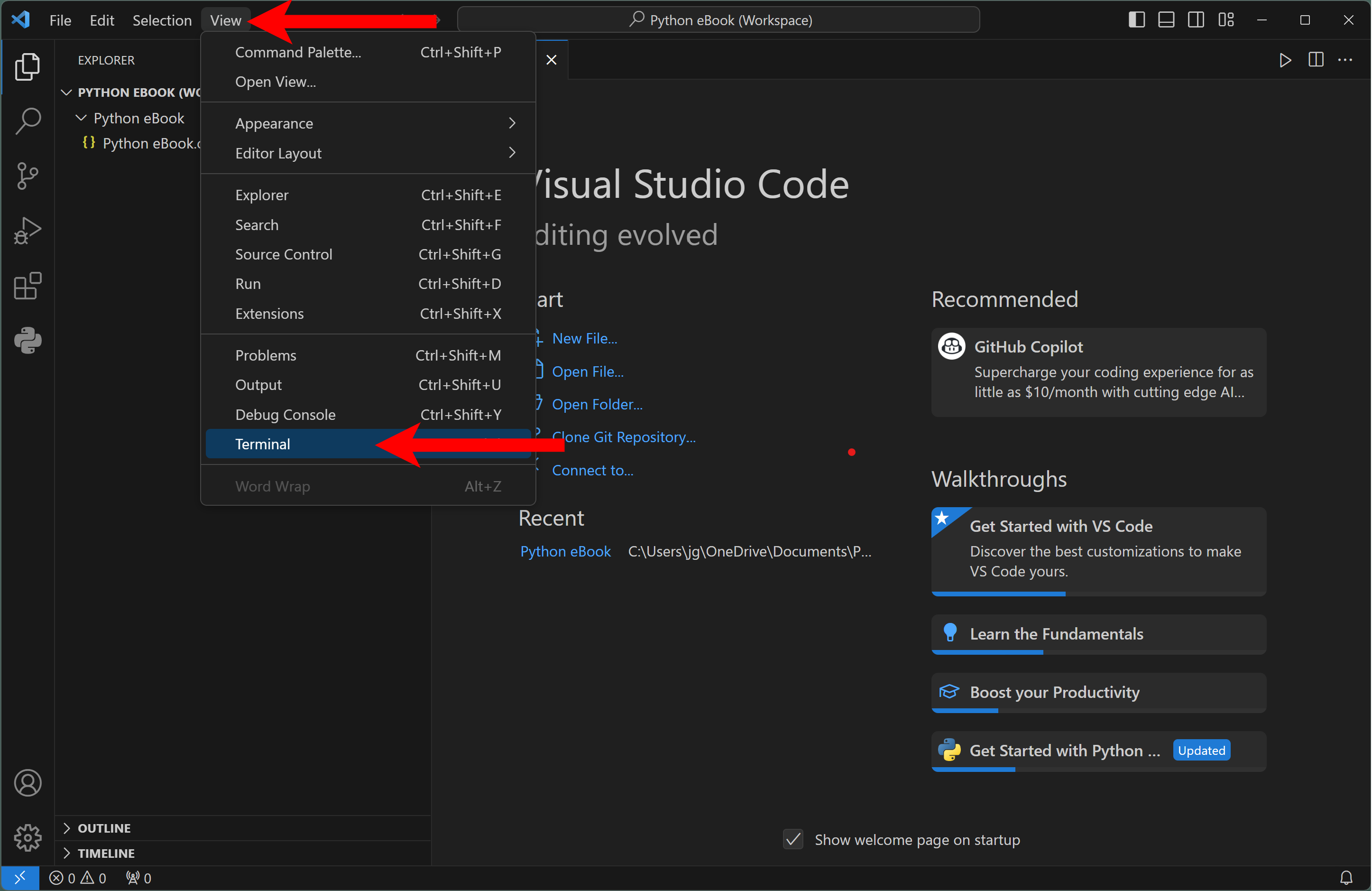
The Terminal will open with a prompt where you can type commands.
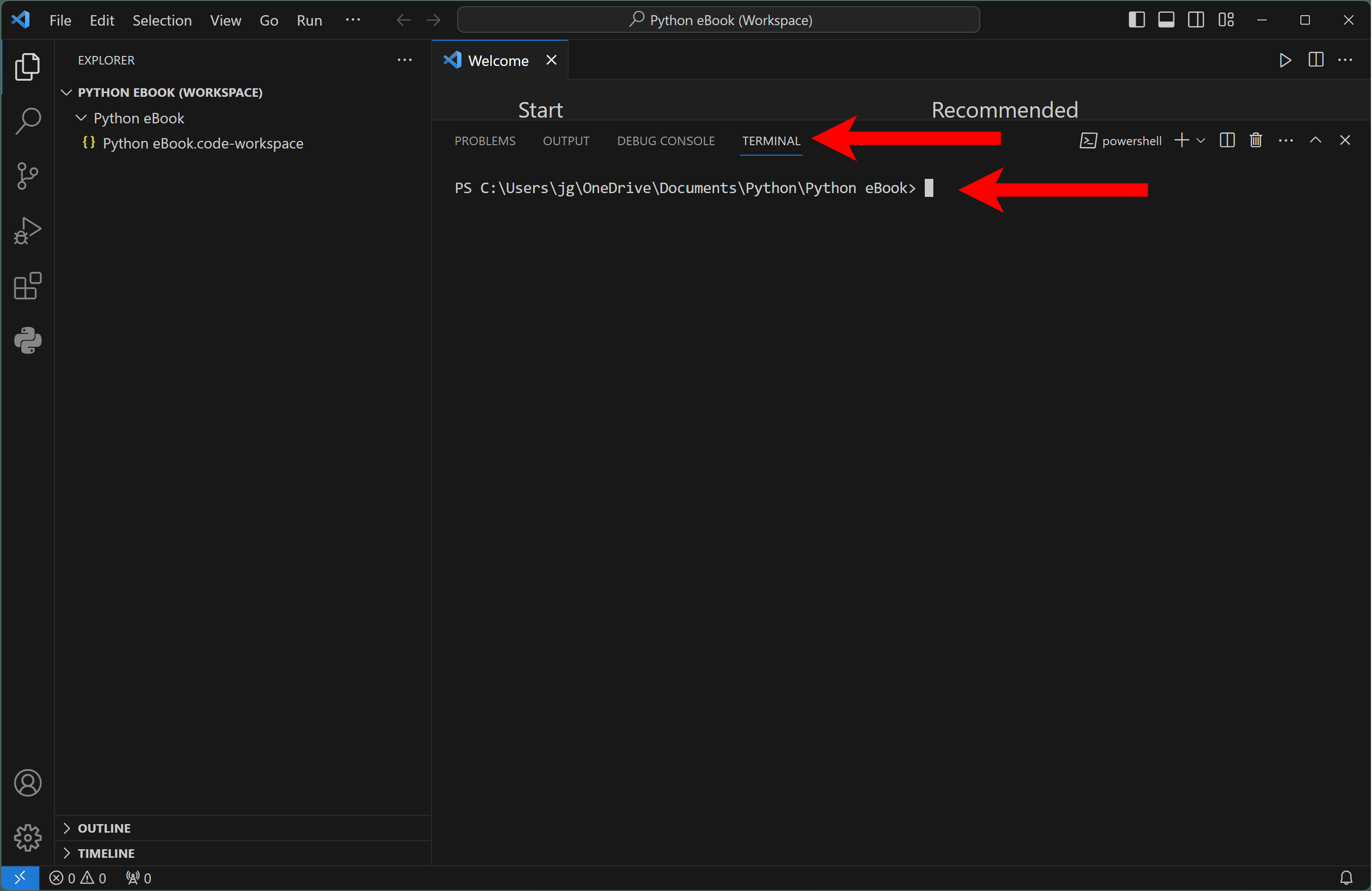
At the prompt, type the following command (be sure to enter the command exactly the same as you see below, including spaces and punctuation) ...
python -m venv .venv
... as you see in the following screen capture:

When you press Enter it may take a few moments to complete. When you see the prompt reappear it is finished. And notice we now have a new item named .venv in the Explorer on the left-side of VSC. This is a new folder that contains other folders and files that allow us to manage this project separately from other projects we may have in VSC.
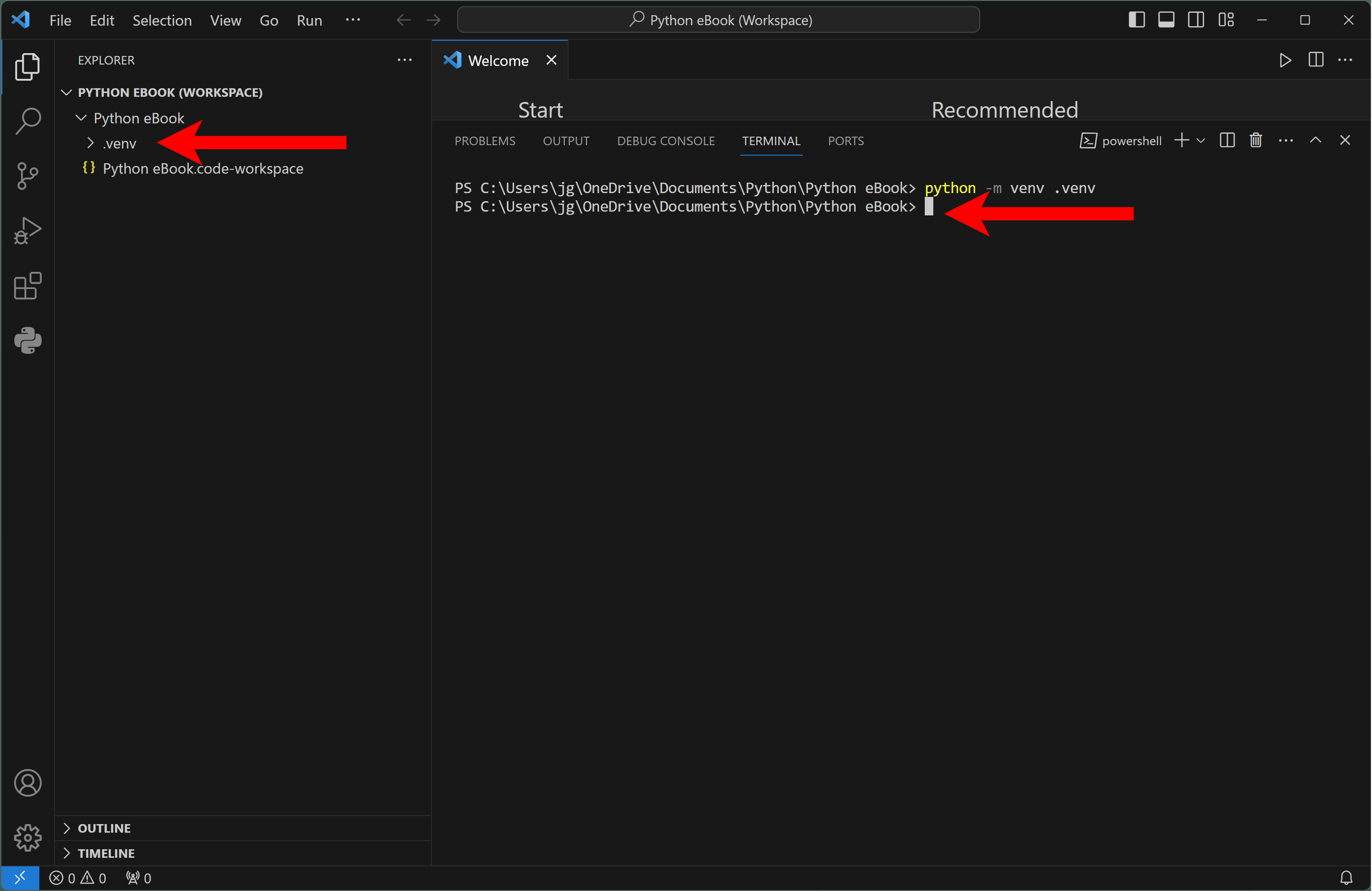
Now that we have created our Virtual Environment, next we need to activate it so VSC knows to use it instead of the default environment.
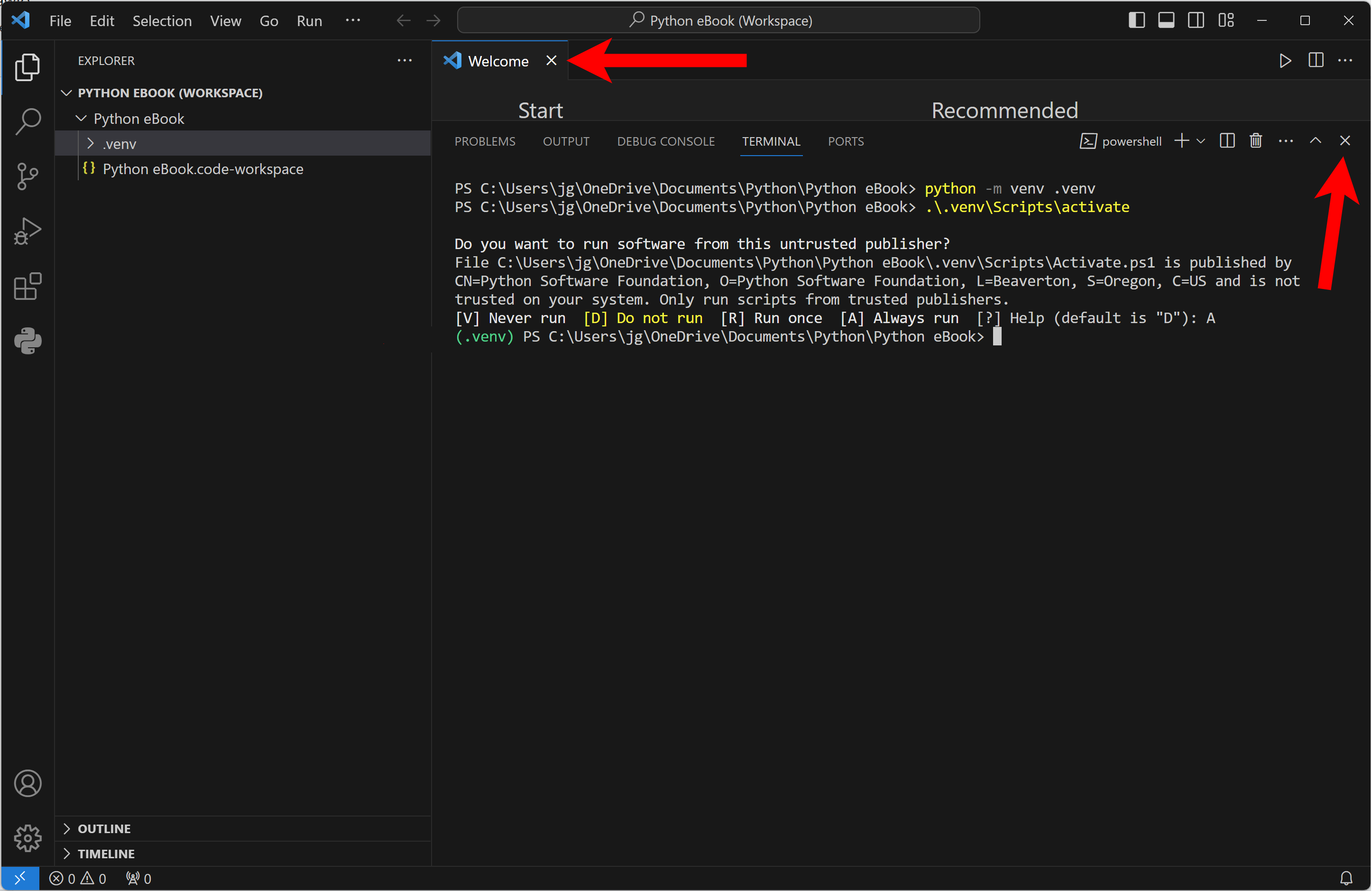
With the Terminal still open (or reopen it from the View menu), enter the following command exactly the same as you see below, including spaces and punctuation) ...
.\.venv\Scripts\activate
... as you see in the following screen capture:

You may see a warning message about and untrusted publisher, in this case we can ignore this warning as the "publisher" in this context is the Python Software Foundation who controls the development and distribution of the Python programming language. So, in response to the prompt, I choose to enter A which means to always trust this publisher.

After pressing Enter, the Virtual Environment is activated. We can tell it is active by noting that the prompt is now preceded with (.venv).

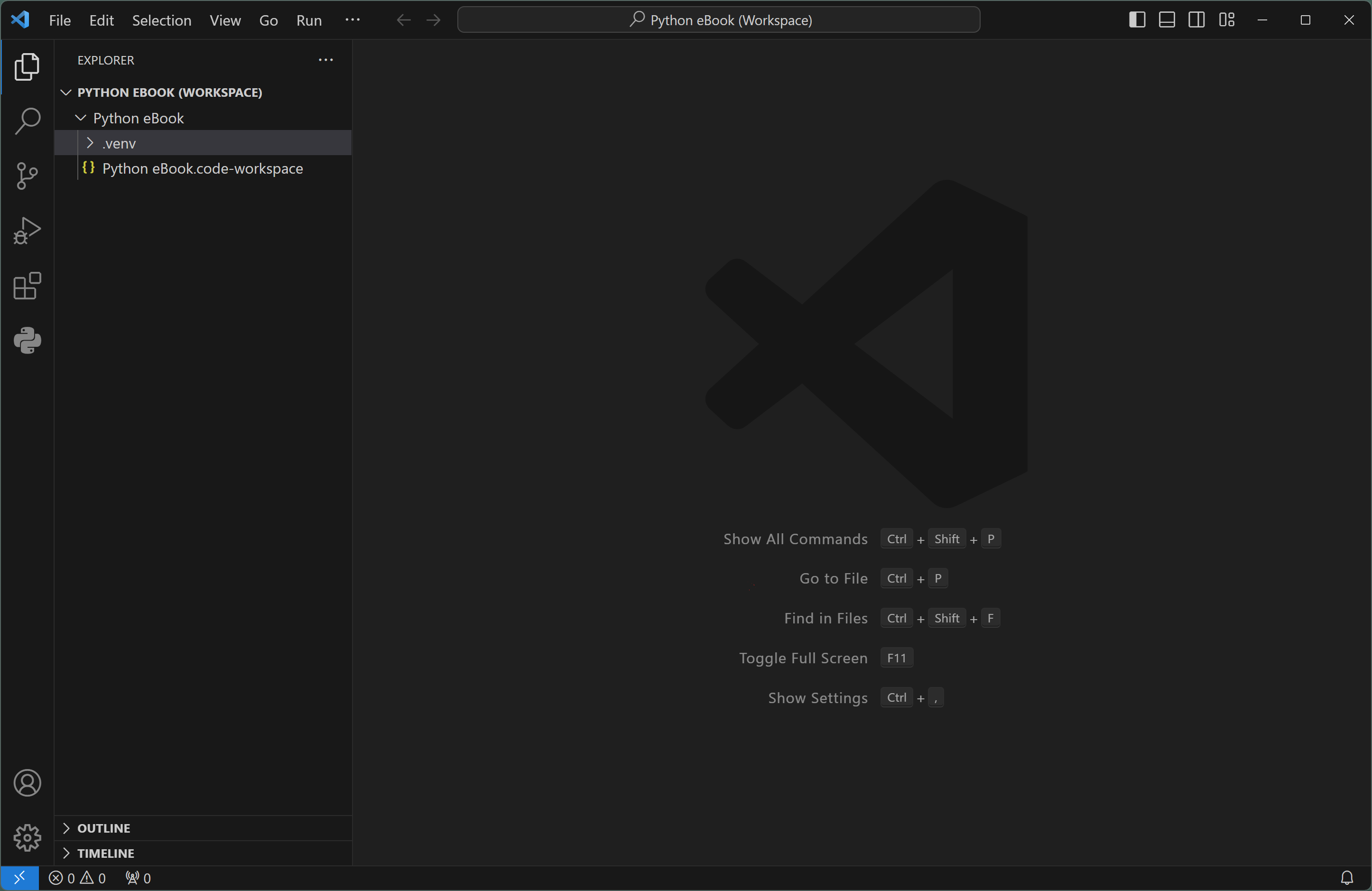
For now we're finished with the Terminal, so we can close it by clicking the X at the far right of the Terminal panel. We can also close the Welcome panel as well...
... which leaves us with a clean IDE to work with ...
The next step in our configuration is to set the default interpreter for Python programming. To do this, follow these steps:
Use the key sequence to Show All Commands. In the case of Windows, that's Ctrl + Shift + P.
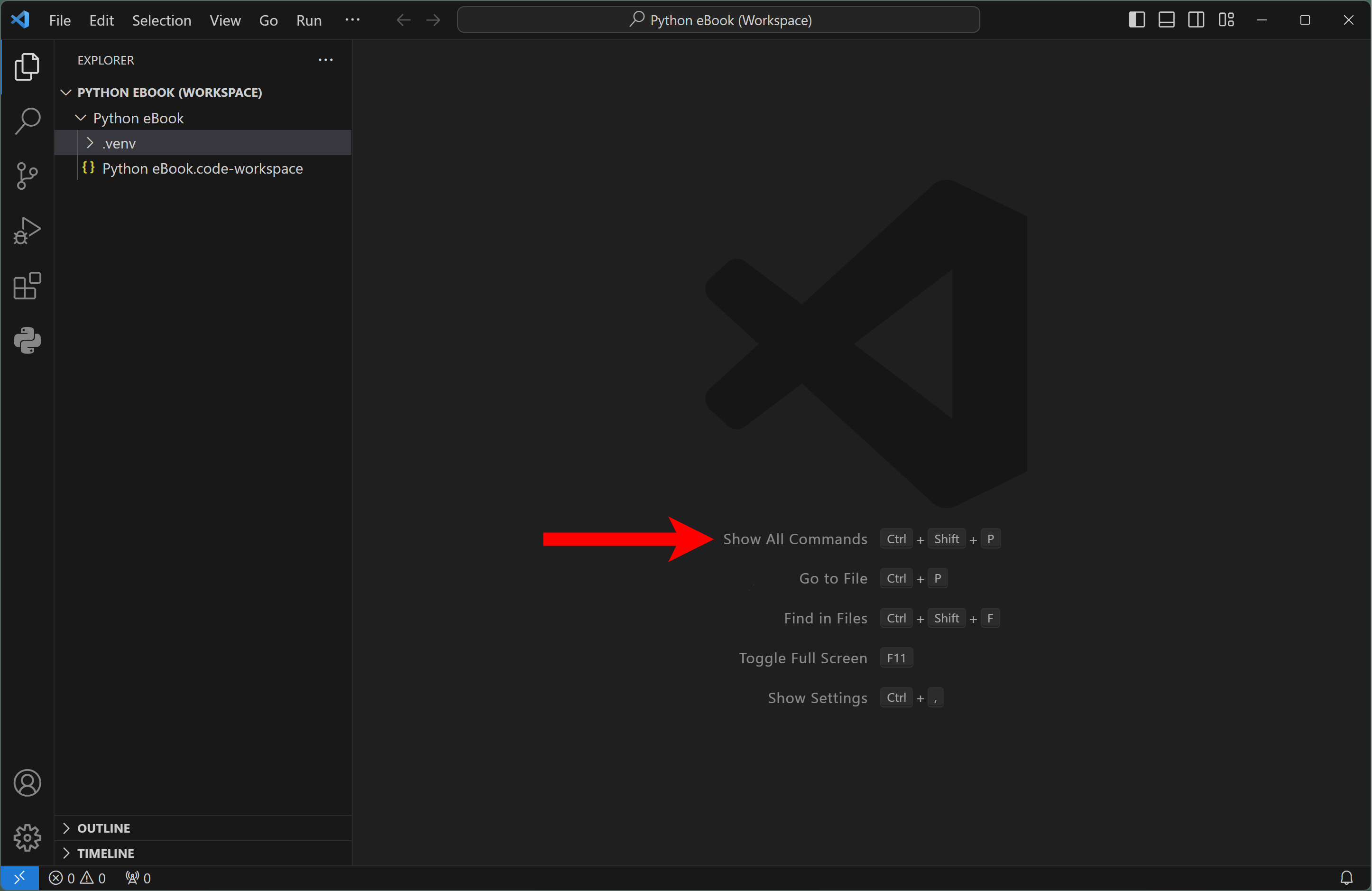
A search tool opens at the top of the VSC window. Start typing Python: Select Interpreter when you see that command appear below the search box, click on it ...

... and a list of Python interpreters will appear (there can be many of them) (your list will likely look different). It is usually best to choose the most recent version and one marked "Global." Click on the appropriate item in the list.
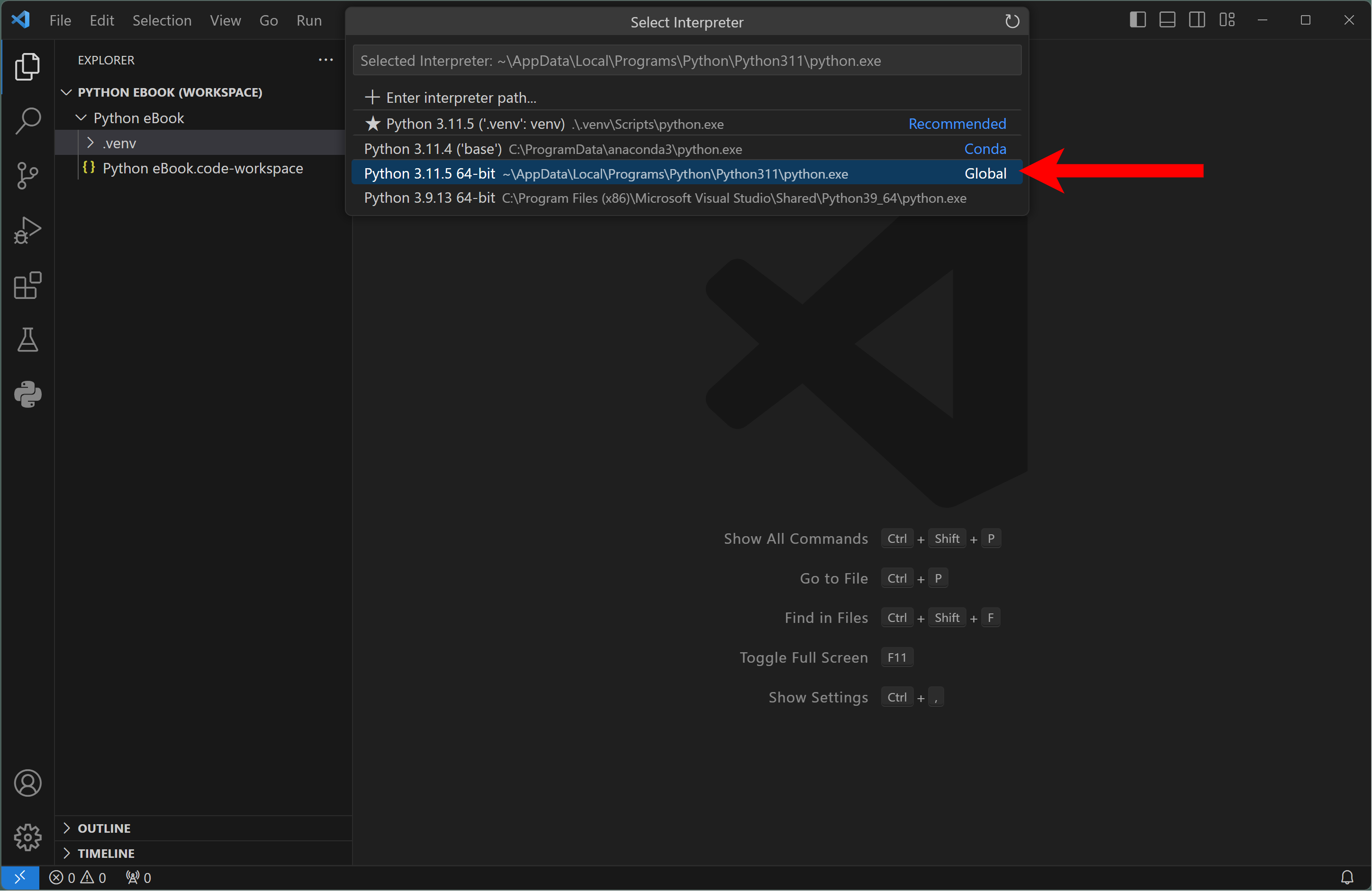
Your Python interpreter is now configured.
Next we will test our setup by creating a Python code file, writing a simple program and running it to be sure everything is working.
First, we will create a Python code file. To do so, hover the mouse pointer over the Workspace name and click the New File button. You can also use the File - New File menu option or right-click the name of the folder where you want the new file stored.

You'll see a space open up in the file list in the Explorer. Type the name of your code file with a .py file extension.

In my example, I typed SetupTest.py and pressed Enter. Notice that the a new tab opens in the right-side panel. The name on the tab is the file name I entered and the space below it is an editing space where I can type my code.
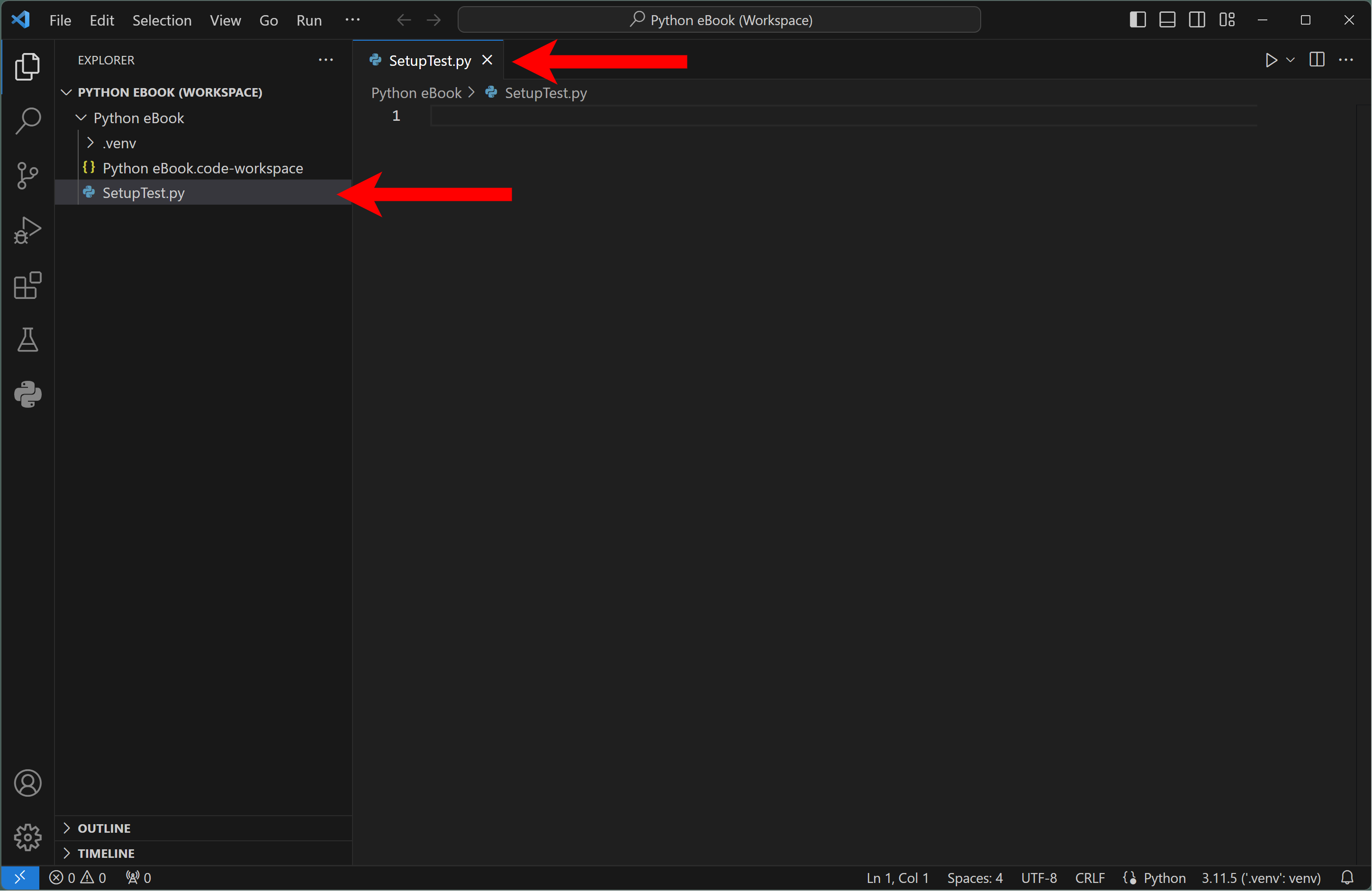
Next, Don't worry about how this works yet, to test your setup, use the print("") statement and you can put any text between the quote marks you'd like. In my example I typed ...
print("My first Python program")
... which looks like this in the editor:
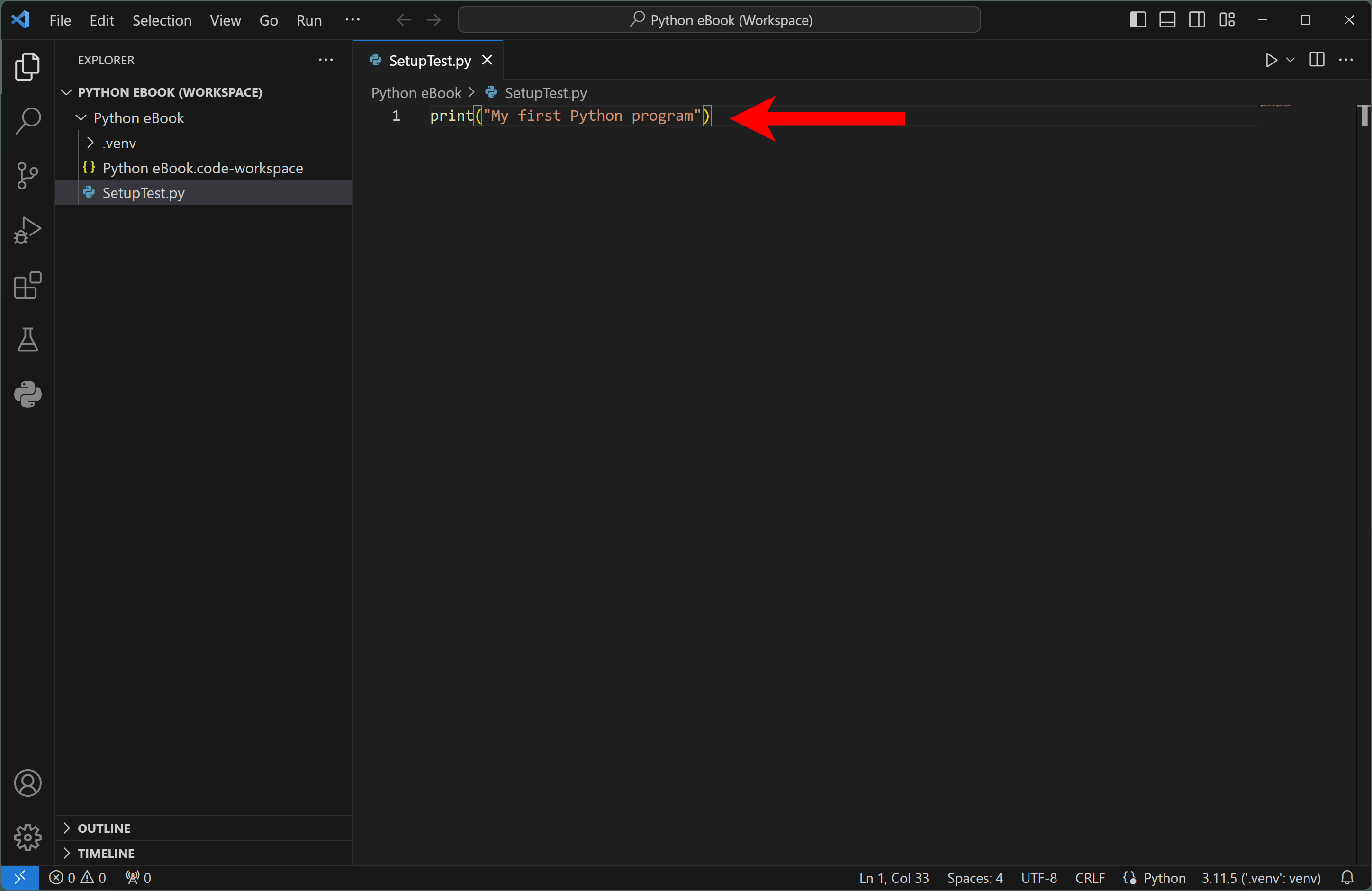
Because this is an editor, we could type as many lines of Python code as we want here. For now though, let's try to run our one-line program.
To run your code, first Save the contents of your code file by pressing Ctrl S (Windows & Linux) or Command S (Mac).
Then, click the Play button near the top right of the VSC window.
The results of our program will display in the Terminal tab as shown below. Notice that the contents of my print statement appears there "My first Python program," along with some other information which is VSC reporting to me the program that ran ...

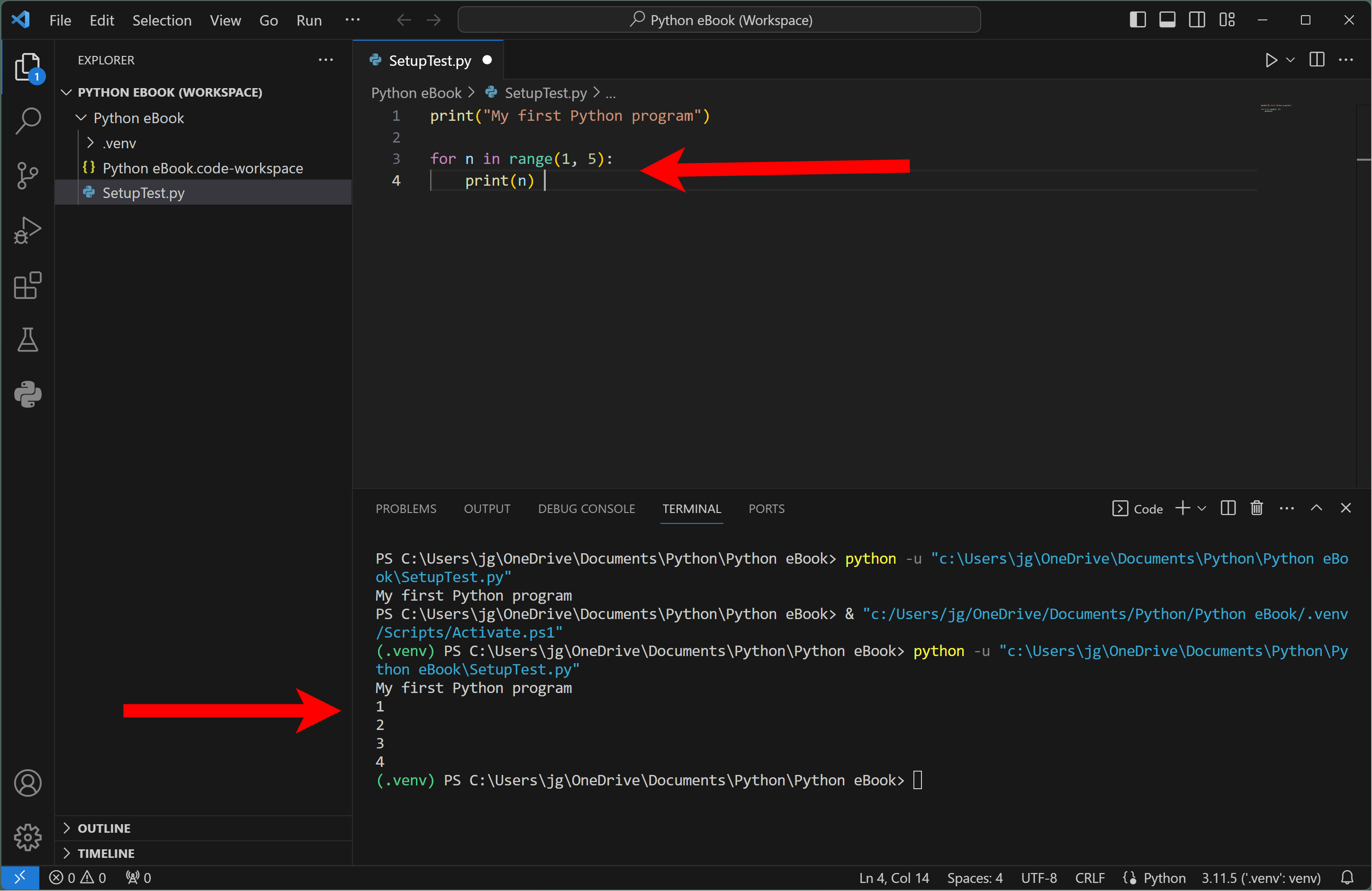
To extend the example, I'll enter a couple more lines of code and Save the code file again, as shown below, and then I'll click the Play button.
Now notice my original line of output "My first Python program" appears again and also a set of numbers. The original line appears again because it is still part of my program and the numbers that appear below it are printed by the two new lines of code I entered.
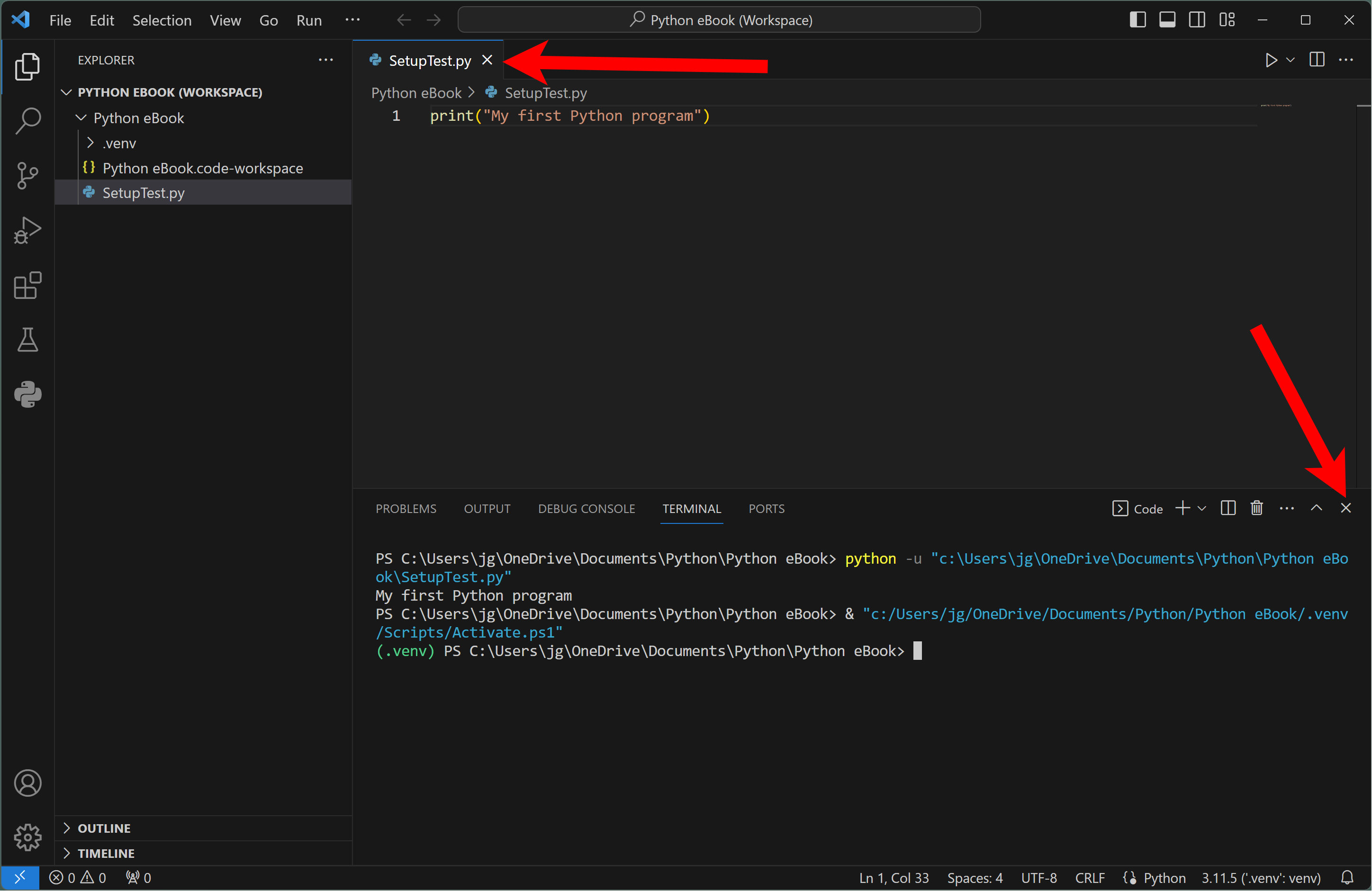
To close the code file click the X on the code file tab. We can also close the Terminal by clicking the X on the far right edge of the Termainal panel.
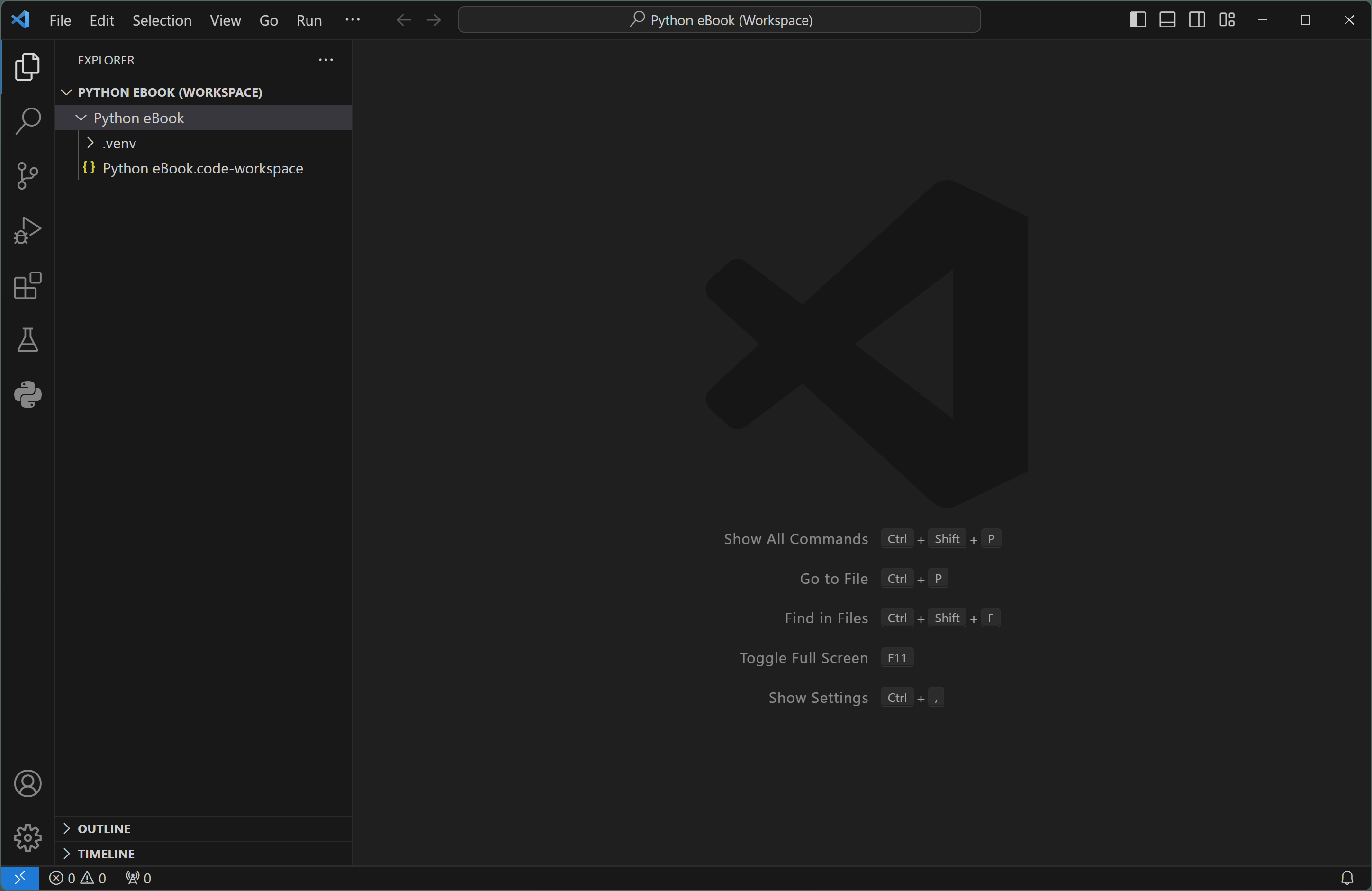
After closing the VSC window returns to its default state with a Workspace open.

If you want to delete a code file, right-click the file name in the Explorer and select Delete.
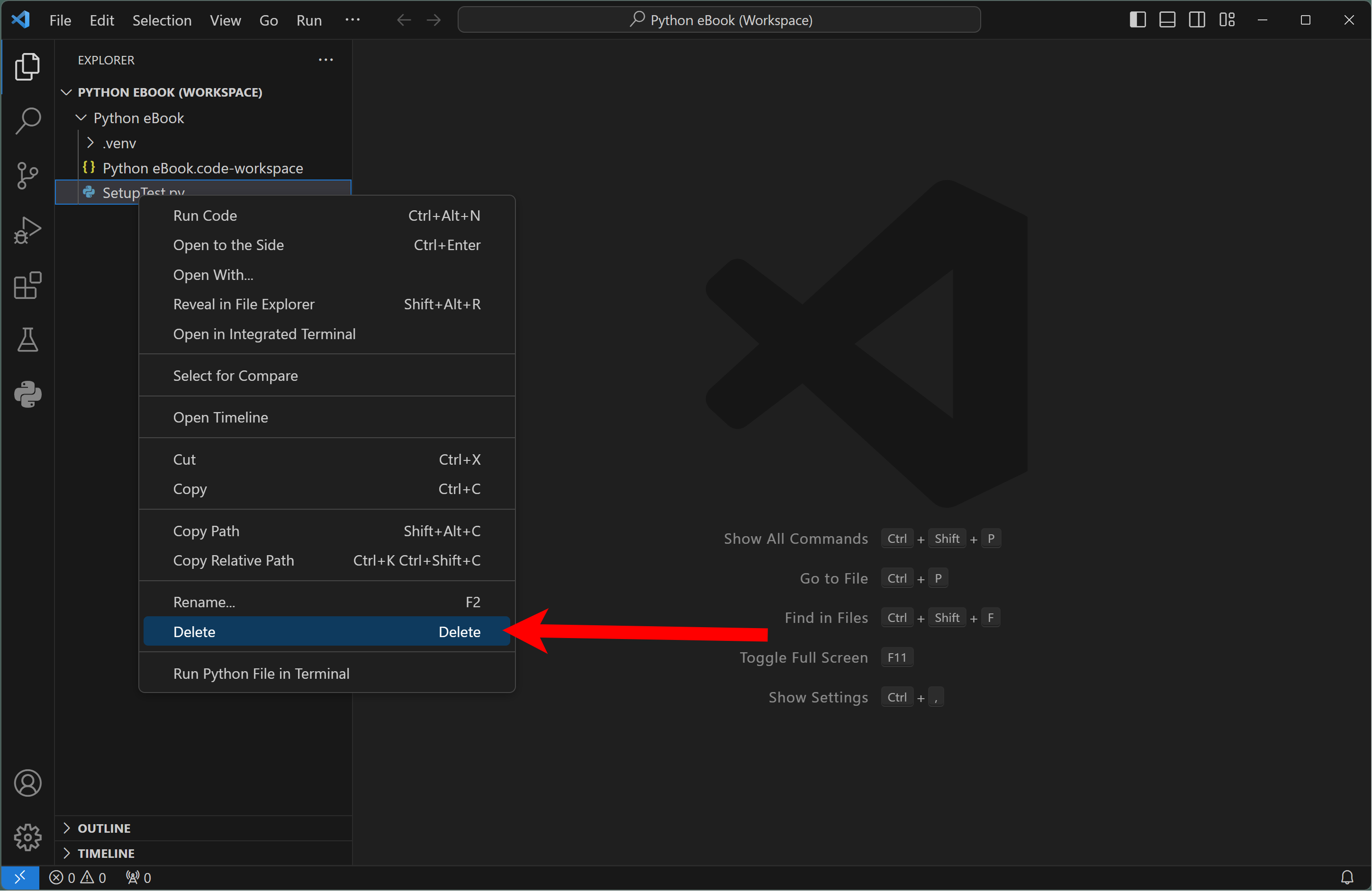
You'll see a confirmation dialog open. To confirm you want to delete the file click the Move to Recycle Bin button.

The deleted file will be moved to the trash and removed from the VSC Workspace.
Now that we have established our project and Workspace, we can close the Workspace, which closes all folders and files in the Workspace. We would normally close a Workspace when we want to work on another project that is set up in another Workspace.
To close the Workspace, open the File Menu and then select Close Workspace.

After you have created one or more Workspaces in VSC, you can re-open them any time. When you first open VSC or have the Welcome tab open, recent Workspaces are listed on that tab. For example, we can see on the screen capture below that the Python eBook Workspace is listed on my Welcome tab?

To re-open a Workspace click its name under the Recent section of the Welcome tab.
- Install Visual Studio Code first, then configure it for Python programming.
- Use the Python Extension Pack and Code Runner to support beginning Python work.
- Create a workspace and virtual environment for each major Python project.
- Use the interpreter selection command whenever VSC is pointing to the wrong Python version or environment.